7
Click to Return to the Table of Contents
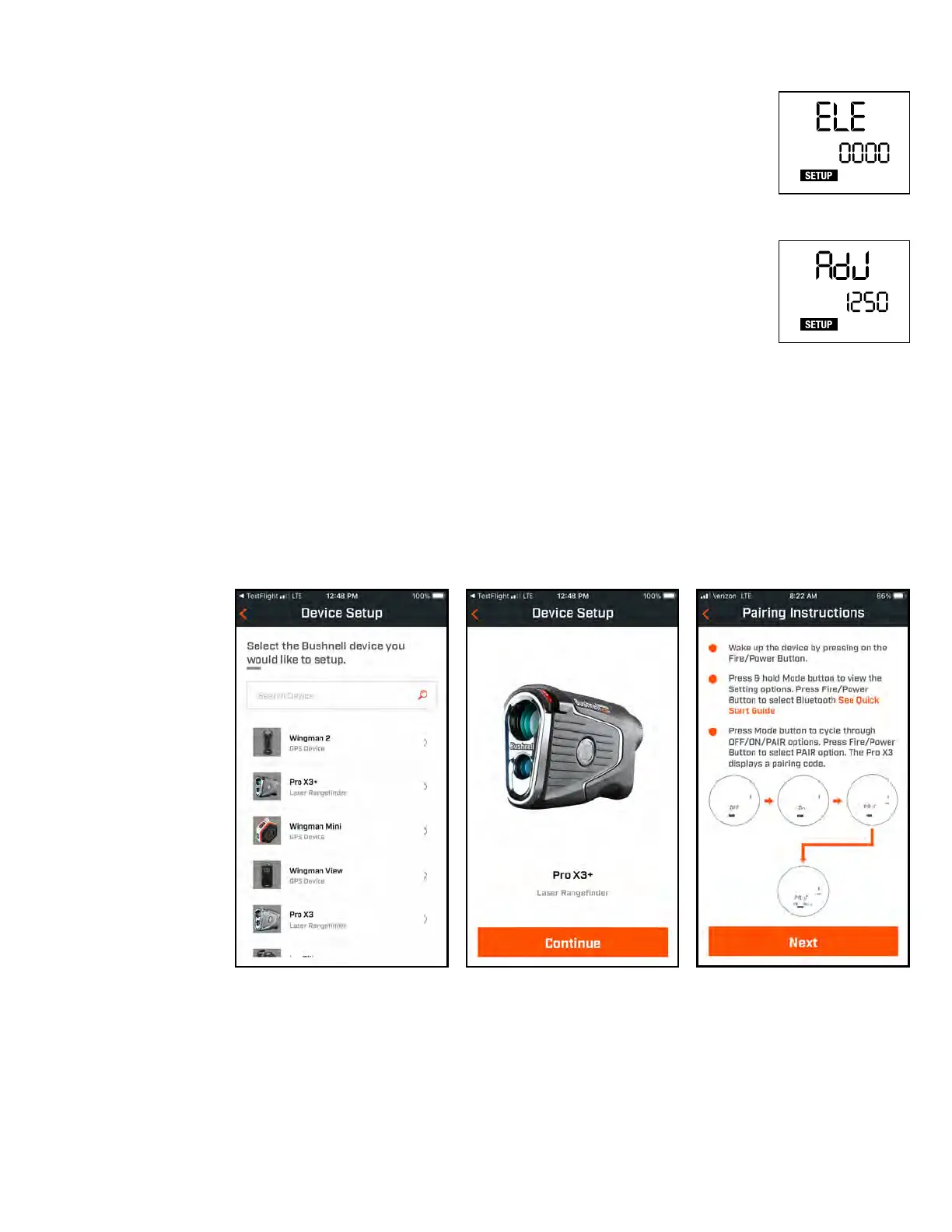
Home Elevation
Adjustment Screen
ft
Home Elevation
Number Selection
Screen
ft
*Ensure Bluetooth is enabled on your phone.
CONNECTING TO THE BUSHNELL GOLF APP
Once the Bushnell Golf App is downloaded and installed on your phone, follow the instructions on the App to pair
your Pro X3+ rangender.
HOME ELEVATION
To customize your Elements compensated distances for your game, you will want to set the home
elevation setting to where you play most often. Adjusts for pressure changes wherever you are playing.
We suggest adjusting Home Elevation in the Bushnell Golf app.
To set the Home Elevation in the Pro X3+ Set Up menu:
1. Press and Hold the Mode button on top of the ProX3 to enter Set Up mode.
2. Press the Fire/Power button to move through each setting to the "ELE" blinking screen (see right).
3. Press the Mode button to enter Home Elevation set up. The screen will change to "AdJ" blinking
(see right).
4. Press the Fire/Power button to enter the rst number, this will be indicated by the number
blinking.
5. Press the Mode button to change the number.
6. When the correct number is selected, press Fire/Power and the next number to the right will blink
and can be changed. Continue until the full number is correct for Home Elevation and press
Fire/Power to set.
7. Press Fire/Power to exit Set Up Mode.
Click
Here to
go to the
Bushnell Golf
App Install
page.



 To Next Page