5
Click to Return to the Table of Contents
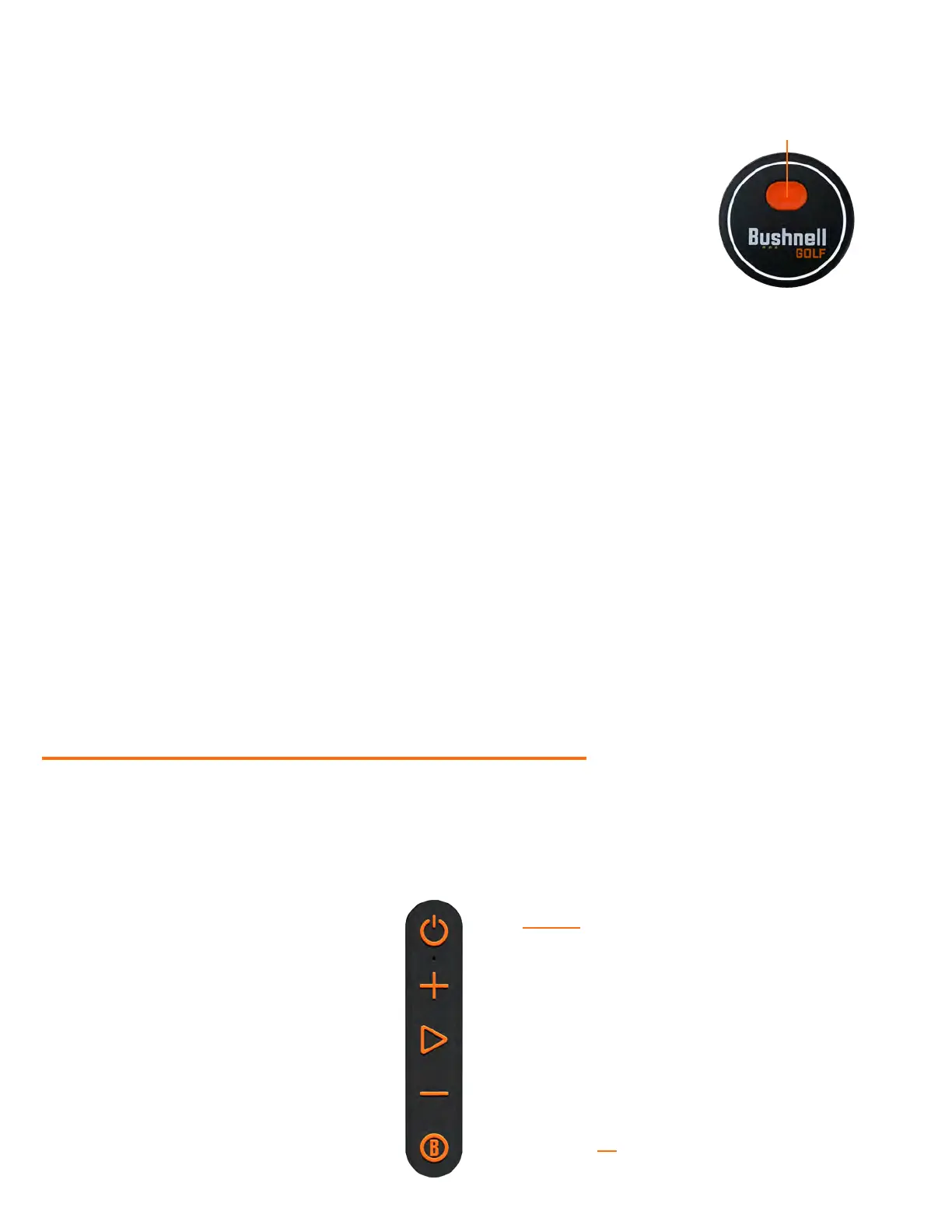
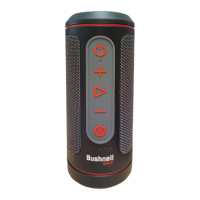
WINGMAN 2 REMOTE FUNCTIONS - MUSIC MODE
1. Pair the Wingman 2 Remote with your smartphone, following the instructions on the
app screens. The mobile app will walk the user through the setup process and have
you on the course in no time!
2. Use the remote to control the speaker functions. Click the button once to pause or
play a track or song. Double-click the button to go to the next track or song. Triple-click
the button to go to the previous track/song. Hold the button to enter Bluetooth pairing
mode.
Note: The remote is only functional when registration and connection are completed through the Bushnell Golf
Mobile App. The Bushnell Golf Mobile App must be running in the background or foreground on your mobile
device for the remote to work with the speaker.
TWS CONNECTION (STEREO) OPERATION
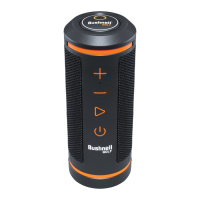
The Wingman 2’s TWS technology enables you to play two Wingman 2 speakers or other Wingman Series speaker with
the same audio simultaneously. To activate TWS operation and listen to audio with two Wingman Series Speakers:
1. Place the two speakers near each other (the distance should not be over 10 meters/32 feet).
2. Power on both speakers. Double-click the Power button on the “main” speaker connected to the device playing
the audio. The “secondary” speaker needs to be unpaired from any Bluetooth device. The second speaker will pair
automatically when the speaker connected to the audio is placed in TWS mode.
3. To disconnect the TWS connection, double-click the Power button to exit TWS or power off either speaker.
Note: The main speaker’s remote will be the only functional remote of the two speakers in TWS mode.
INDOOR/OUTDOOR EQ MODE
This electronically equalizes the speaker’s tonal balance for optimum listening quality when used indoors (clubhouse/
home) or outdoors (golf course). Indoor Mode provides a fuller, richer sound. Outdoor Mode carries sound further to be
heard at a distance.
Simultaneously press the Volume Up and Volume Down buttons to change the sound mode.
mode is Indoor.
USING THE GPS RANGEFINDER - PLAY GOLF MODE
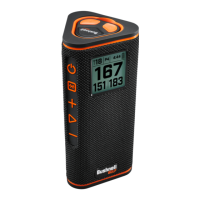
WINGMAN 2 BUTTON FUNCTIONS - PLAY GOLF MODE
• Once the Wingman 2 Speaker and Remote are paired to your mobile phone and registered to the Bushnell Golf
Mobile App account it is ready to play golf!
• Double-click the Power button to toggle
TWS mode.
• Single-click of the Bushnell® Button gives
• Double-click the Bushnell® Button to play
details)
• Triple-click the Bushnell® Button to play
the second custom sound bite.
• Press and Hold the Bushnell® Button to
initiate Bluetooth pairing.
1 CLICK: PAUSE/PLAY
2 CLICKS: NEXT TRACK/SONG
3 CLICKS: PREVIOUS TRACK/SONG
HOLD: BLUETOOTH PAIRING MODE
ON/OFF
VOLUME UP
PLAY
VOLUME DOWN
BUSHNELL® BUTTON
2 CLICKS: TOGGLES TWS MODE
• 1 CLICK: AUDIBLE GPS YARDAGE
• 2 CLICKS: 1ST CUSTOM SOUND BITE
• 3 CLICKS: 2ND CUSTOM SOUND BITE
• PRESS & HOLD FOR BLUETOOTH PAIRING MODE


 To Next Page