6
Click to Return to the Table of Contents
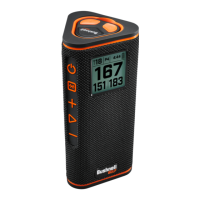
WINGMAN 2 REMOTE FUNCTIONS - PLAY GOLF MODE
1.
The Bushnell Golf Mobile App must be running in the foreground or background of your phone
for the remote to control the Wingman 2 speaker.
2.
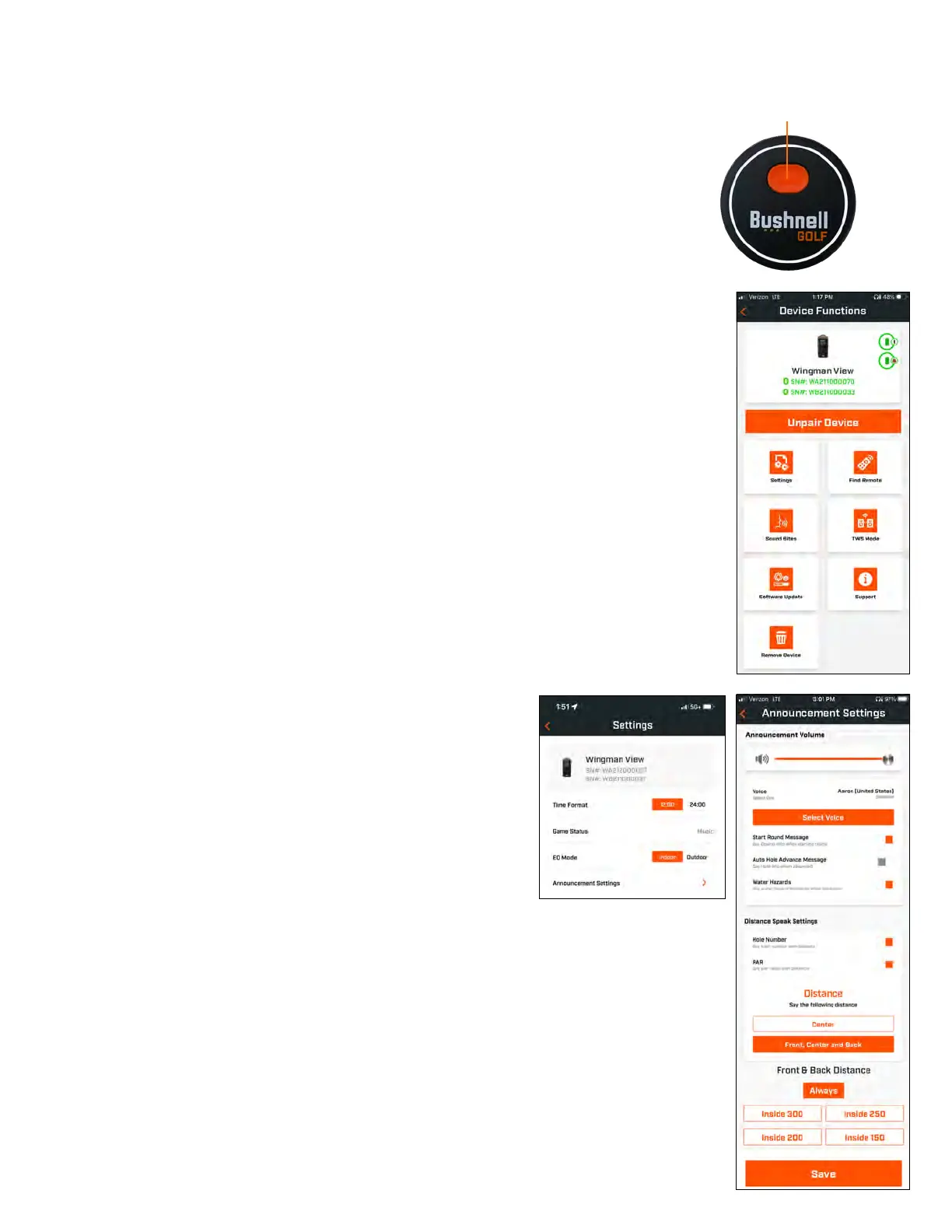
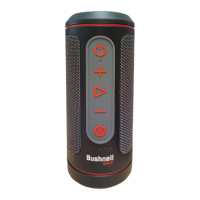
Use the remote to control functions on the speaker for Play Golf Mode. Click the button once to
button to play the second custom sound bite. Hold the button to enter Bluetooth pairing mode.
Note: To connect the remote from an “off” state, tap the button to turn on the remote and it will pair to the last
mobile device it was connected to. Both devices will be green in the device list.
BUSHNELL GOLF MOBILE APP FUNCTIONS
DEVICE FUNCTIONS
• Unpair Device:
Press to unpair the device from the Bluetooth connection on your phone.
• Settings:
• Find Remote:
Press Find Remote in Device Functions to help locate a lost remote. Remote will
beep when in range and connected to Bluetooth.
• Sound Bites:
• TWS Mode:
TWS can be toggled On/Off in the app or by double-clicking the speaker’s Power
button.
• Software Update:
• Support:
—
Contact Bushnell Golf product support
—
About your speaker
—
Product user manual
—
Terms and Conditions
• Remove Device:
This button lets you remove the device from the Bushnell Golf Mobile App
account. You will also need to remove the device from your phone’s list of available devices in the
Bluetooth Settings.
SETTINGS
•
Time Format: Choose 12 or 24 Hour format
•
Game Status: Indicates the device is in Music or Golf Mode
• EQ Mode: Choose Indoor or Outdoor
•
Announcement Settings:
A.
Announcement Volume: Adjusts the volume for audible GPS
B.
Speak Settings:
i.
Select Voice for the character and language you wish to hear. The country next to the name of
the character is associated with the language of the country.
ii.
Start Round Message (On/Off): Says course information when starting a round.
iii.
Auto Hole Advance Message (On/Off): Says hole information when the hole advances.
iv.
Water Hazards (On/Off): Says water hazard distances when the hole advances
C.
Distance Speak Settings:
i.
Hole Number (On/Off): Says hole number with distance callout.
ii.
Par (On/Off): Says par value with distance callout.
D.
Distance: Choose between Center or Front, Center, and Back distances called out with single click
of the Bushnell Golf button on the remote.
If Front, Center, and Back is selected, there is the option of receiving Front and Back distances with
options: Always, Inside 300, Inside 250, Inside 200, or Inside150.
1 CLICK: GPS YARDAGE
2 CLICKS: 1ST CUSTOM MESSAGE
3 CLICKS: 2ND CUSTOM MESSAGE
HOLD: BLUETOOTH PAIRING MODE


 To Next Page