9
Click to Return to the Table of Contents
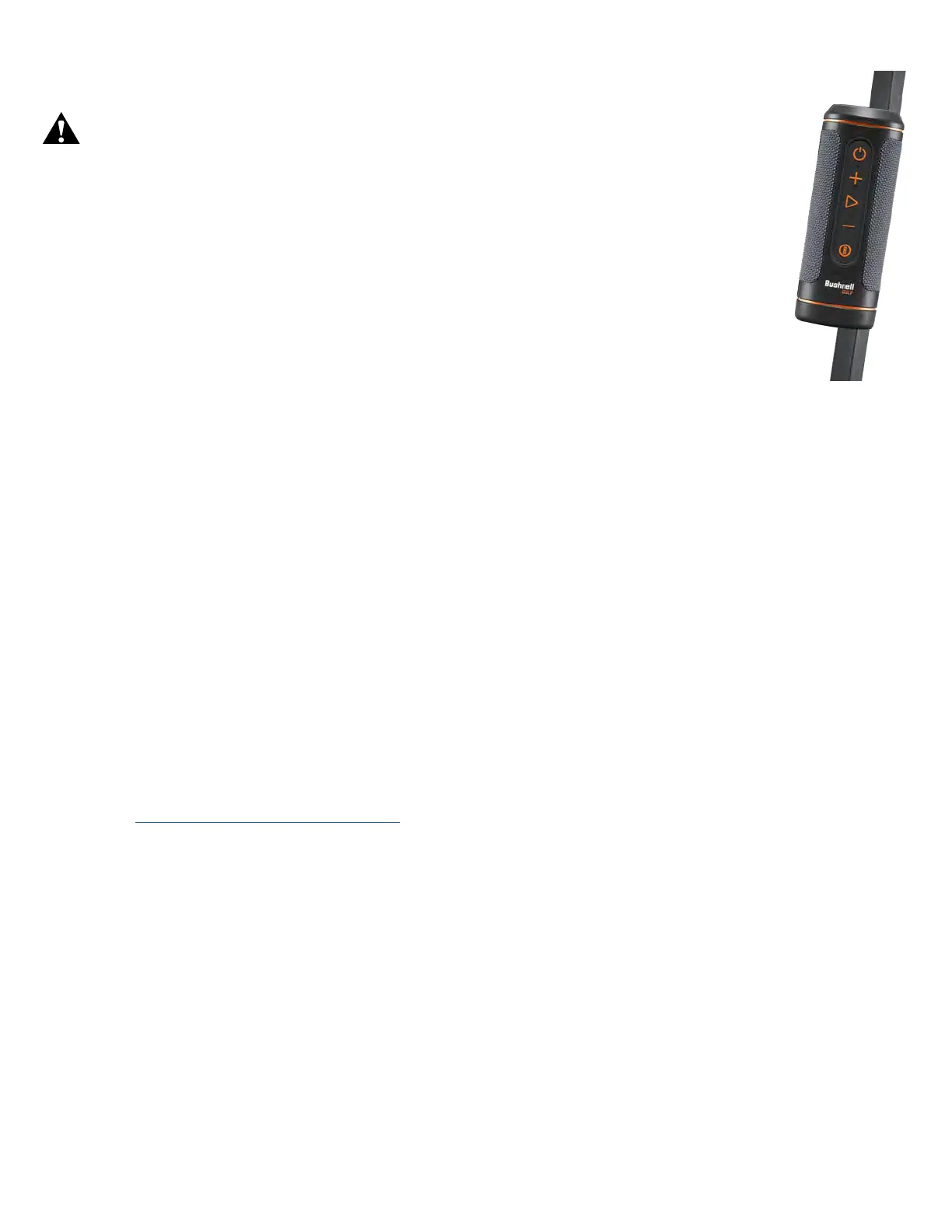
BITE MAGNETIC MOUNT
device to be securely attached to a golf cart bar or frame.
WARNING: BITE FEATURE INCLUDED WITH DEVICE CONTAINS A NEODYMIUM
MAGNET. MAGNETS COULD AFFECT THE FUNCTIONING OF PACEMAKERS AND
IMPLANTED HEART DEFIBRILLATORS. IF YOU USE THESE DEVICES, KEEP SUFFICIENT
DISTANCE FROM MAGNET. WARN OTHERS WHO WEAR THESE DEVICES FROM GETTING
TOO CLOSE TO MAGNETS.
• Magnet may lose part of its adhesive force permanently if exposed to temperatures above
175º F (80º C).
•
computer hard drives, credit and ATM cards, data storage media, mechanical watches, hearing
aids, and speakers. Keep the unit away from devices and objects that could be damaged by
•
attaching the unit to a metal bar.
CLEANING AND GENERAL CARE
IMPORTANT NOTE: Remove all cable connections and close the port protection cover tightly after charging and before
use to ensure the Wingman is water resistant.
Follow these tips for proper cleaning and maintenance:
• Blow away any excess dust or debris on exterior (or use a soft brush).
•
exposed to heavy rain or other direct streams of water, and will not withstand submersion in water or other liquids.
• When you are not using the speaker/remote, please store it in a secure, dry indoor location for additional protection.
TROUBLESHOOTING
Never disassemble your Wingman 2 speaker. Irreparable damage can result from unauthorized service attempts, which
also void the warranty.
If unit does not turn on:
• Press Power button fully.
• Charge internal battery. If unit does not respond to power button after fully charging, contact Bushnell Golf customer
service: Bushnell Golf Customer Support Link or call (800) 423-3537.
If unit powers down during use:
•
Problems pairing with phone via Bluetooth:
• The Speaker is within 10m from the device.
• The Speaker is in pairing mode, the LED indicator blinking orange and orange.
No Sound
• Make sure the music volume is at audible level on both your device and speaker.
• Make sure your device is successfully paired with the speaker, the LED indicator turn solid orange.
Poor sound quality
• Move the device closer to the Wingman 2 or remove any obstacle between them.
Buttons do not function
• If necessary, the Wingman 2 can be reset. Make sure the charging cable is not connected. Place a small pin
(<3mm) into the reset key (small opening to the right of the USB charging port) and hold it down (press lightly) for
2 seconds until the LED Indicator Ring turns off.


 To Next Page