20
USING THE BINOCULAR
Adjusting the Binocular IPD
The distance between the eyes, called “interpupillary distance,” varies from person to person. To set the hinge
to the right spacing for your eyes: Hold the binocular in the normal viewing position, with a rm grip on each
side. Move the barrels closer together or further apart until you see a single circular eld. Always re-set your
binocular to this position before using.
Eyecups
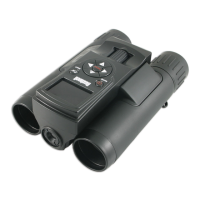
The ImageView binocular is tted with rubber roll-down eyecups designed for your comfort and to exclude
extraneous light. If you wear glasses, roll down the eyecups. This will bring your eyes closer to the binocular
lens so you can view the entire image without any cuto.
Setting the Diopter Adjustment
1. Rotating the right eyecup (pg. 3, J) allows you to ne tune the binocular focus to your vision (diopter
adjustment). Make sure the right eyecup is set to “zero” for now (arrow on the underside of the eyecup
pointing to “0”). Keep both eyes open at all times.
2. Using your hand, cover the objective (front) lens on the right side of the binocular as you look into the
eyepieces.
3. Turn the binocular focus knob (F), until a distant object with ne detail (e.g., brick wall, tree branches, etc)
appears as sharp as possible through the left side of the binocular.
4. Uncover the objective lens on the right side, and cover the left objective lens while continuing to view
the same object.



 To Next Page