17
5 Test and View
5.1 Shooting in Test Mode
Turn camera “TEST” mode then the display works, and the
upper left corner of the display will show the current shooting mode,
resolution, the number of images you can shoot. In “TEST” mode
user can test to take photo and video. Use the ▲ key to quickly
switch to camera mode, use the ▼ key to quickly enter the video
mode. Press “shot” to start test shooting.
5.2 Image
After press “REPLAY” button through ◄/► can review
photos/videos in SD card. Use ▲, ▼ keys to return to camera or
video mode。
5.2.1 Image Browsing Operation
Press “Zoom” button to zoom in current picture. Press ▲
key to enlarge the photo 1 to 8 times
Press “Zoom” key when get the desired magnification, user
can lock the magnification, then use ▲,▼,◄,► keys to move the
observation point to observe the details. When need to zoom in / out
again, press the “Move” key to unlock and continue scaling. In zoom
mode, when zoomed in to the minimum, press the ▼ key again to
enter the nine-rectangle-grid browsing mode. Press the “Menu”
button to delete and lock the current picture. And user can set the
playback time interval when do slide show operation.
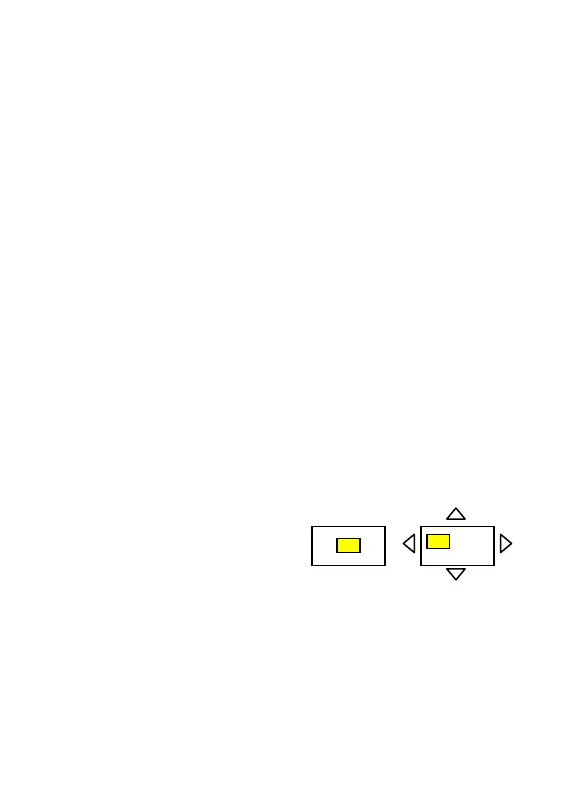
“Zoom” and “Move”
Interface shown as at right:
5.2.2 Video Browsing Operation
For video playback, press "OK" to start playback, “EXIT” to
exit the playback interface and press▲、▼ keys to stop. Press ◄ key
to rewind, each press brings × 2 fast reverse speed, press the ►
button to fast forward, each press brings × 2 fast forward speed.
Press “Menu” key to lock or delete current video.



 To Next Page