25
EN
Bü ner Elektronik – MT iQ Basic
120 Ah
2 Instructions MT iQ Basic
Battery Computer
24 Mobile Technology – MT iQ Basic
Quick Overview
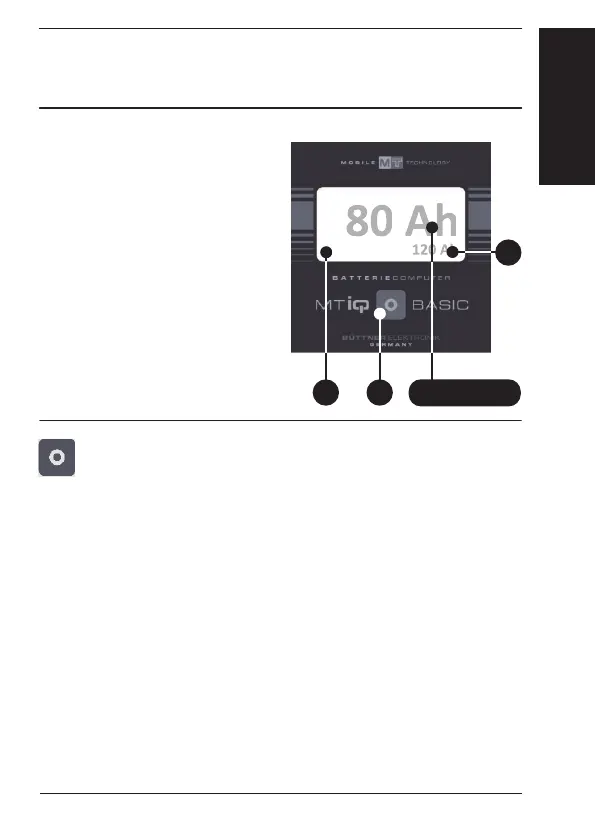
The main display of the
equipment shows all im-
portant information of
your battery.
Push button
❶ in order
to successively retrieve
the displayed values.
80 Ah
12
Switching On/Off
Button
❶ is used to switch on the battery computer. The
display is automatically dimmed after 30 seconds.
If the control button is not activated for at least 120 min.,
the display changes to standby mode. The measuring value
last displayed is then completely blanked out. The
measurement continues in the background and is indicated
by a flashing rectangle
❷.
By pressing
the button ❶ once, the measuring value last
accessed will be shown in the display
.
Main Display
3


 To Next Page