18EN
sales@ibuture.com
3. Clean up Electric Brush Head
Tips:
After using for a period of time, the ground brush may be wrapped
with threads, hair, fibers, and other debris, which will directly affect the
cleaning effect. Please clean up in time.
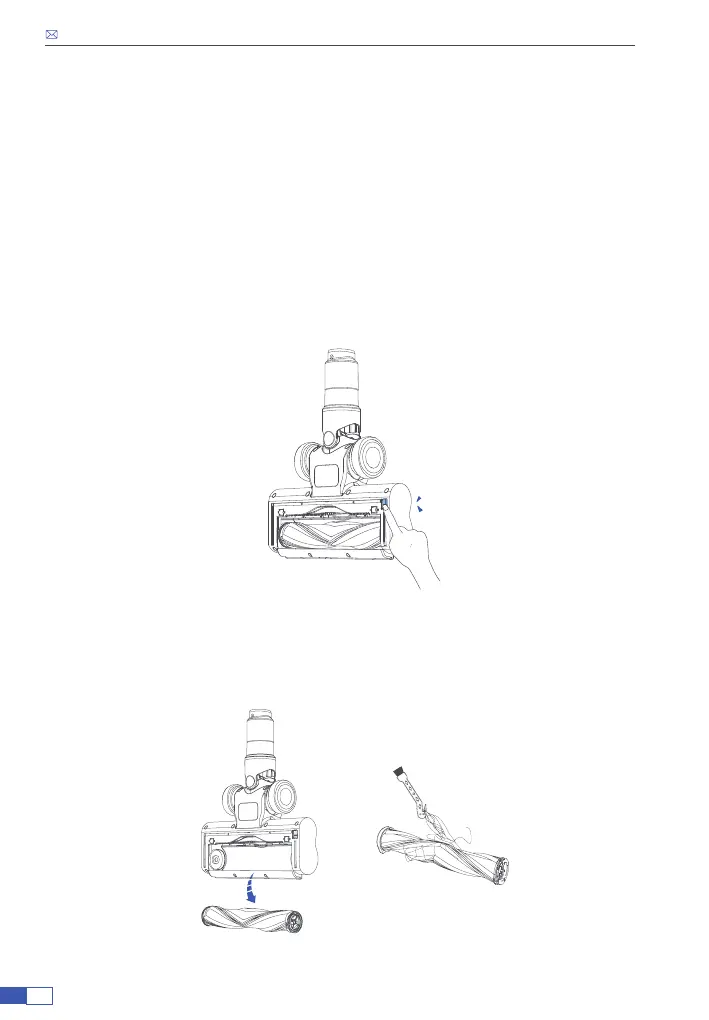
• Make sure the vacuum cleaner is turned off. Press the brush release
button to remove the floor brush and flip the brush to reveal the roller
brush.
• Flicking the roller brush release button to the “unlock” position. Remove
the small cover on the right sight of the oor brush.
• Remove the roller brush and remove the debris wrapping on the roller
brush. Use the small cleaning brush to sweep away the trash on the roller.
Ka d
a


 To Next Page