19 EN
sales@ibuture.com
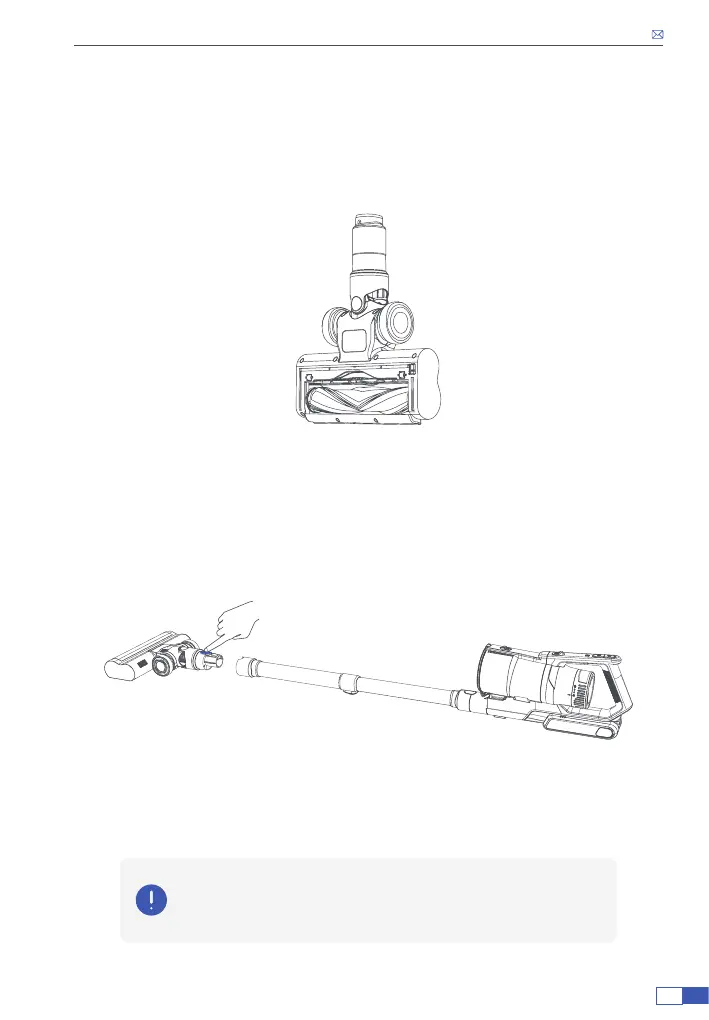
• After cleaning, install the roller brush into the oor brush.
First put the left side of the roller brush into the left connector.
Then press the right side of the roller brush into place.
Finally, install the small cover. When installed in place, you can hear a click.
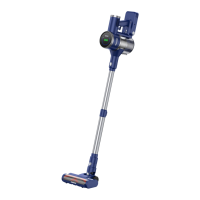
4. Clean up the Blocked Extension Tube
• Press the tube release button to detach the tube from the electric oor
brush.
• Remove blocked adhered to the two inlets inside of the tube, such as
debris and pet hair.
Note :
There are wires installed inside the extension tube to power the electric
oor brush. Do not use sharp tools to clean the extension tube.


 To Next Page