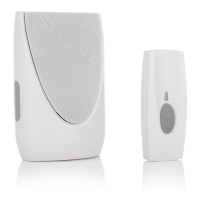
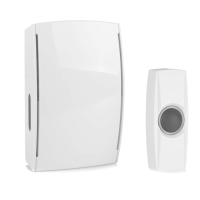
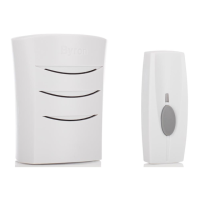
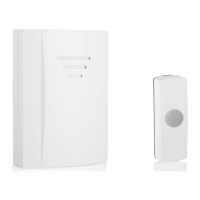
:8
Extra Loud
Wire Free Chime Kit
™
1: Place a small flat screwdriver
into the locking clip on the
base of the Bell Push.
2: Gently twist.
3: The backing plate will unclip.
1
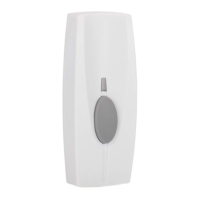
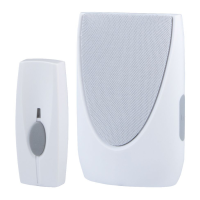
1: Push Button 5: Portable Chime
2: Melody Selector 6: Speaker
3: Bell Push Battery 7: Volume Control
4: Signal Sent LED 8: Strobe Alert
BY301
1:
2:
4:
:3
6:
7:
5:
LED Flash Alert:
LED Light will flashPress to switch the
LED Alert On or Off
Chime will ‘Beep’
Beep
3
1: Remove the battery cover.
2: Insert 3 X 1.5V Size ‘C’
batteries (Not Supplied).
3: Make sure the
Positive/Negative terminals
match the internal markings.
4: Chime will ‘Beep’ on Start up.
5: Replace the battery cover.
Functions:
8 Selectable Melodies
1: Tubular 3-Note 5: Tubular Score
2: Big Ben 6: Clarinet
3: Tubular 2-Note 7: Saxophone
4: Solo 8: Morning Dew
4
Beep
Beep
1: Press and hold the ‘VOL’
button on the Door Chime,
until the Chime goes
‘Beep Beep’ (6 Seconds).
2: Press the Bell Push within
60 seconds to learn the
Bell Push to the chime.
3: The Chime will ring to
confirm setup.
Note: Maximum of 6 Bell
Pushes can be learnt to a
single Chime.
4
To select the Chime Volume level, press the ‘VOL’
button on the chime There are 4 selectable volume
levels, the Door Chime is pre-set to the loudest
volume setting.
Volume
Default
To select a melody for the Door Chime
1: Remove the Back Plate from the Bell
Push.
2: Press the Melody Select button.
3:The chime will play the newly selected
sound.
4: Press again to select the next melody.
Note: For Front/Back door setup, select a
different melody in one of the Bell Pushes.
CR2032
New Chime
Additional Chime
To add an additional Chime unit to the Door Chime kit
1: Press and hold the ‘VOL’ button on your New Door Chime, until the
Chime goes ‘Beep Beep’ (6 Seconds)
2: Press the Bell Push within 60 seconds to learn the additional
Chime to the Bell Push.
3: Chime will ring to confirm setup, wait 60 seconds for the Chime to
exit the learn mode before repressing the bell push.
Additional Bell Push
To add an additional Bell Push to the Door
Chime kit.
1: Press and hold the ‘VOL’ button on your
Door Chime, until the Chime goes
‘Beep Beep’ (6 Seconds).
2: Press the Bell Push within 60 seconds
to learn the additional Bell Push to the
Chime.
3: Chime will ring to confirm setup, wait 60 seconds for the Chime
to exit the learn mode before repressing the bell push.
For Front/back door setup, select a different melody in one of
the Bell Pushes - See Melody Selection.
Note: Maximum of 6 Bell Pushes can be learnt to a single Chime
Adding Additional Chime/Bell Push:
Beep
Beep
Front Door
Back Door
1: Insert CR2032 battery
(Supplied) into the battery
holder.
2: Make sure the positive side
is facing upwards.
3: Replace back plate.
2
Warning: Make sure that the batteries are
replaced correctly to avoid battery failure.
Only replace with same or equivalent type.

 Need help?
 General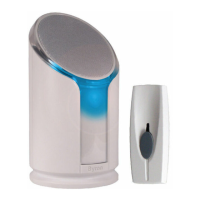

 To Next Page