15
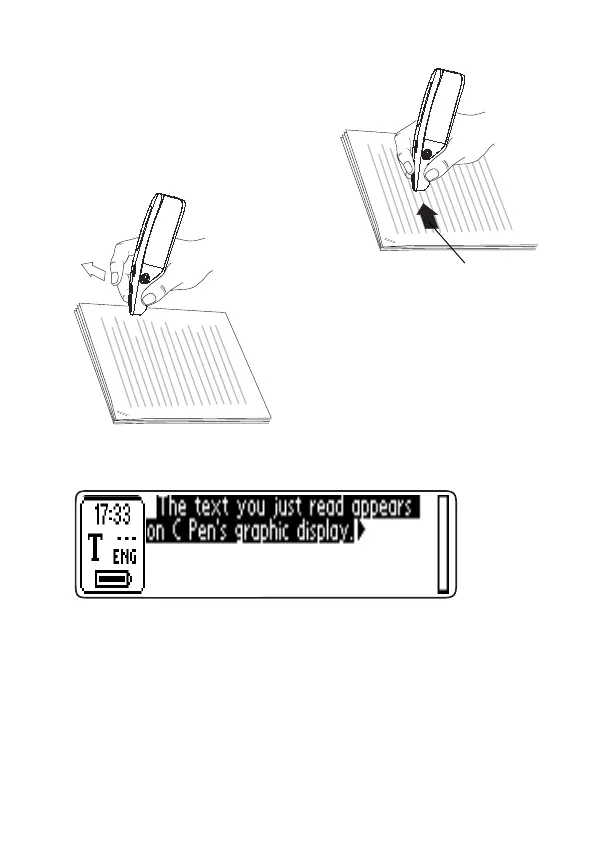
4. Move C Pen over the line of
text. Keep the trigger pressed
as you move C Pen over the
text.
5. Release the trigger at the
end of the line.
The text will appear on the display.
The collected text is placed in a new text file in Notes;
see p. 17. You can also select New... and then File in
Notes. This creates a new, empty text file.
NOTE: You can move C Pen either left-to-right or right-
to-left over the text.
You can read up to 15 cm/second.
0-15 cm/s
!


 To Next Page