6
C Pen
The Battery
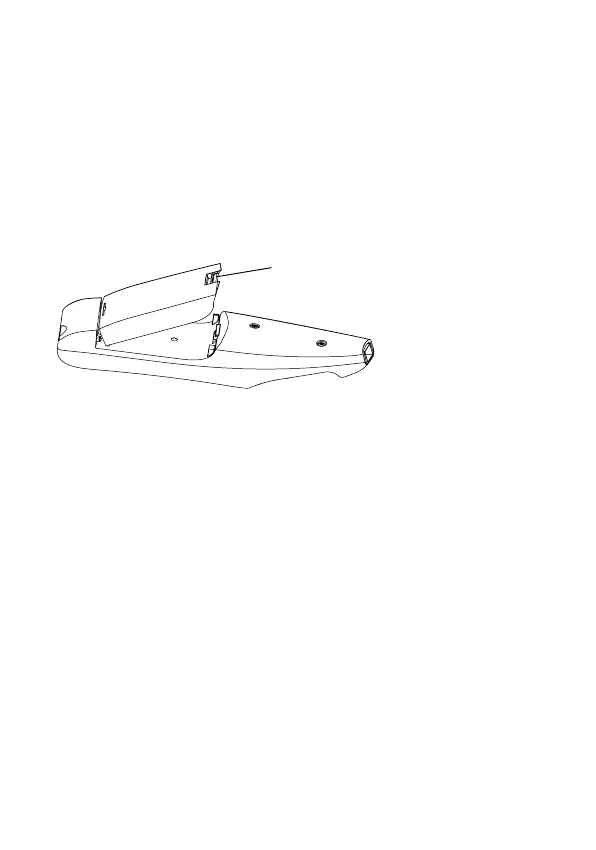
Attaching
1. Place the battery as shown below.
2. Push down until you hear a click.
3. Secure the battery by pushing the locking catch
forward.
To remove the battery, press the locking catch away from
the reading end of the pen and lift the battery upwards.
Charging
1. Connect the charger to C Pen.
2. Plug the charger into a mains socket.
When the battery is fully charged, the charging stops
automatically. You cannot overcharge the battery. While
charging, you may use C Pen as usual, but the charging
time will be longer. The normal charging time is 12
hours.
Locking catch


 To Next Page