53
C Pen is within range of the computer’s IR port, the On/
Off button flashes with a green and red light). The
installation program will place the C Pen icon (My C
Pen) on your computer’s desktop. Double-click on the
icon to connect to C Pen.
Getting help
To get help using C Pen Windows Software, first open C
Pen Viewer (by double-clicking on My C Pen) and from
the Help menu select C Pen Help Topics. You can also
press F1 on your keyboard to enter C Pen Windows
Software Help.
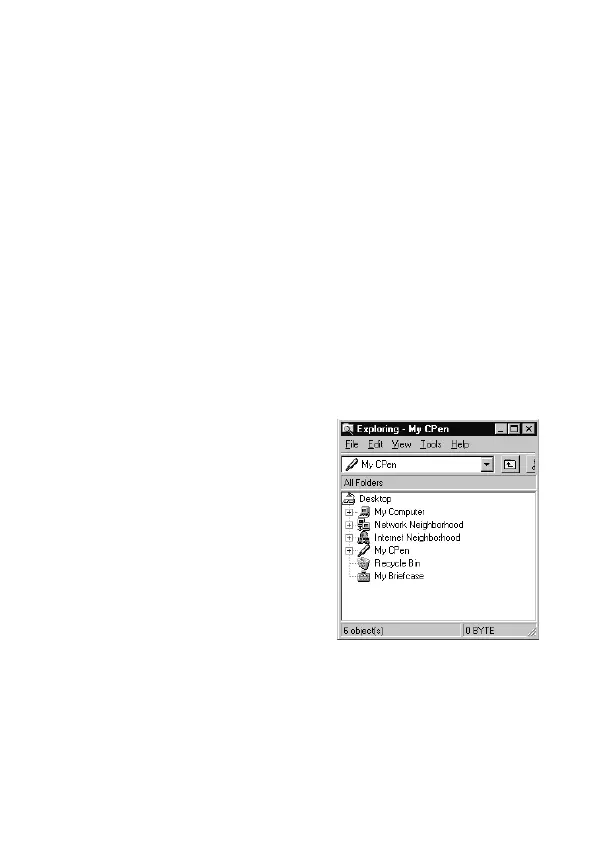
C Pen Viewer
C Pen Viewer enables you to
browse the contents of your C
Pen. The user interface looks
like Windows Explorer and
you will recognize the
applications from the Main
Menu in C Pen. Use C Pen
Viewer to open and browse
files, to create new folders and
to install or remove applica-
tions in your C Pen.
Transferring files
Transfer files between C Pen and the PC the same way as
when working with a floppy disk or a hard drive. In C


 To Next Page