19
Edit Enters edit mode. You can edit text either by
using the Edit menu (see below) or by using
C Write (see p. 22).
Settings Sets the text settings of the text you are
reading; see Settings, p. 30.
Select Selects a read line/word. After selecting a
reading, you automatically enter edit mode.
Cancel Closes the text menu.
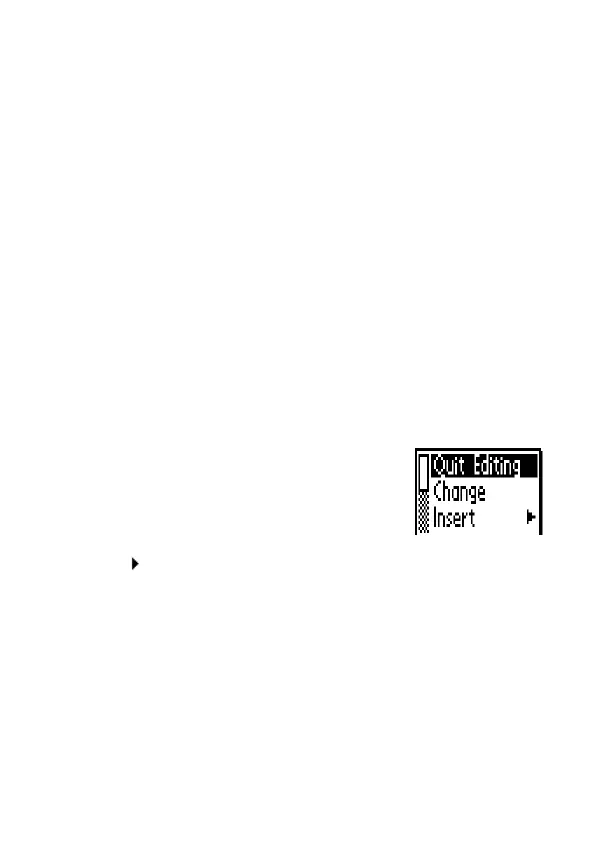
The Edit menu
In edit mode you move the cursor one character at a time
by turning Nav. Move the cursor to a position where you
want to edit the text. Press Nav to open the Edit menu.
The items in the edit menu are:
Quit Editing Leaves the edit mode.
Change Changes the character
to the right of the
cursor.
Insert Inserts new characters at the cursor’s
position.
Cut Cuts a selection (available only if
characters have been selected)
Copy Copies a selection (available only if
characters have been selected).
Paste Pastes a cut or copied selection (avail-
able only if a selection has been cut or
copied).


 To Next Page