23
This visual feedback can be switched on/off in Settings.
Select C Write Settings (called C Write if you enter
Settings from Notes) and press Nav. A dialog box appears
where you can check or uncheck the Feedback utility.
Basic rules when using C Write
• In order to obtain maximum accuracy when writing
with C Pen, your characters should resemble the pro-
totypes on the following pages as much as possible.
• A character must be drawn in one single stroke.
• The dot indicates the starting point of the stroke.
• The height of the character should be 1 - 4 cm.
• Trigg must be pressed before you start writing.
• It is important that the pen tip is in contact with the
surface while you are writing.
• The writing surface must have a distinct pattern, such
as a printed text. Solid colors or simple repetitive
patterns (lines, squares, grids) should be avoided.
Capital letters
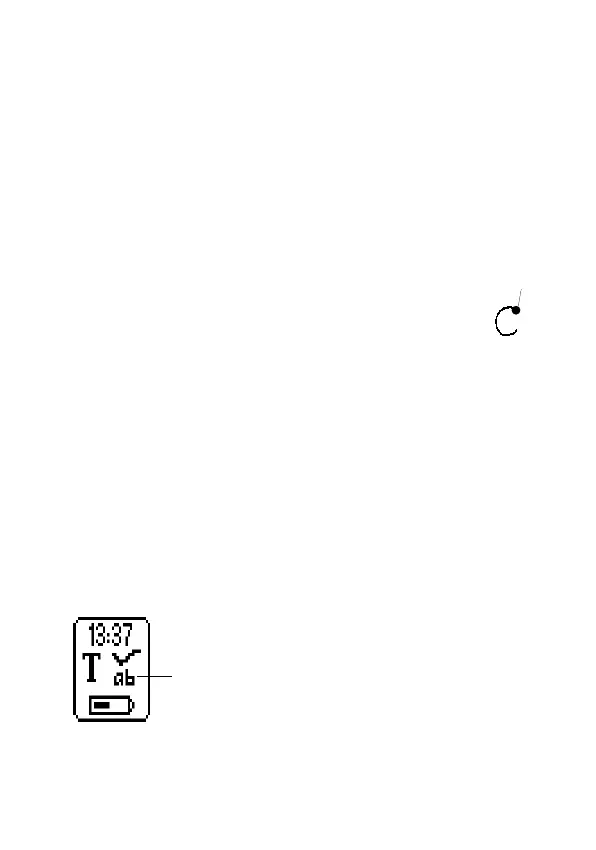
When you enter edit mode the status field will look like
this:
The ab icon indicates that C Write will generate lower-
case letters.
Start here
C Write
Lower case icon


 To Next Page