63
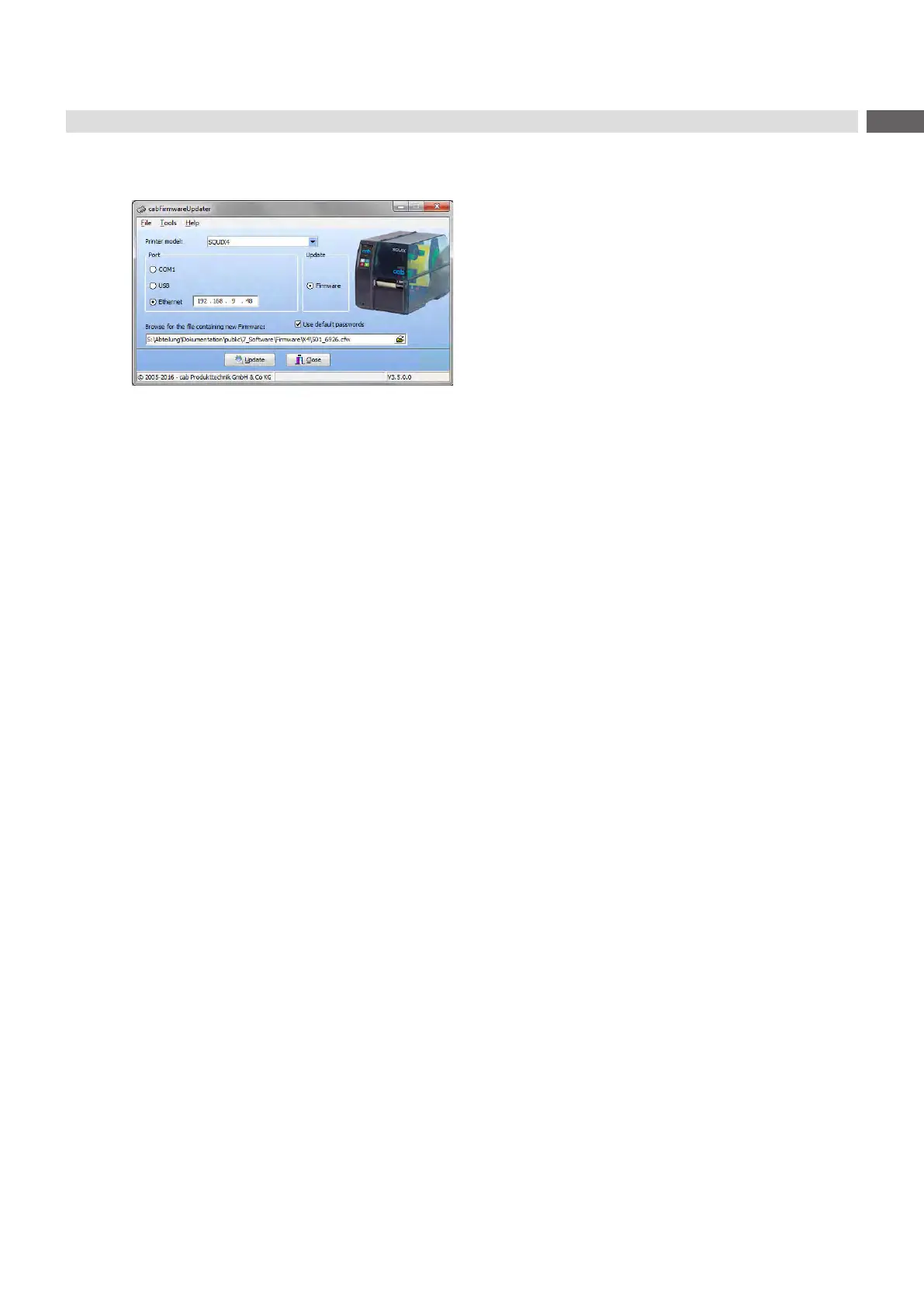
The cabFirmwareUpdater, which can be downloaded free of charge from the cab Website, offers an easy way to
transferrmwarelesfromthecomputertotheprinter.
Figure 28 cabFirmwareUpdater
With the cabFirmwareUpdater it is possible to start a
rmwareupdateviaUSB,Ethernetorserialinterface:
1. Start the cabFirmwareUpdater.
2. Select the printer model.
3. Select the interface (Port).
4. Choose "Firmware".
5. Locatethermwareleandselectit.
6. Click "Update".
Theselectedlewillbeuploadedtotheprinter.Thermwareupdatewillbestartedautomatically.
16 cabFirmwareUpdater



 To Next Page
 Loading...









