43
ENGLISH
UK
Attention: Obey all road traffic laws. Both hands should
be used to control the motorcycle when riding. All opera-
tions on the CABERG JUST SPEAK system should be car-
ried out while the motorcycle is stationary.
3.3 bluetooth
®
intercom
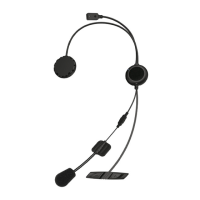
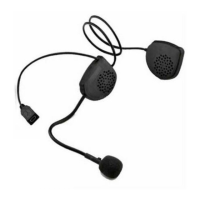
To use the CABERG JUST SPEAK as an intercom, both helmets - passen-
ger and driver - must be equipped with a CABERG JUST SPEAK, or similar
compatible device Contact Caberg s.p.A. or your retailer for a list of compat-
ible devices.
For two CABERG JUST SPEAK systems to communicate with each other,
they must first be paired – in other words, they must “meet”.
3.3.1 Pairing two CABERG JUST SPEAK kits
•
PActivate pairing mode on both
CABERG JUST SPEAK
systems (starting with
the system turned off, press and hold
button until both LEDs begin to flash
rapidly), as described in points 1,2 and 3 of “Pairing with a Bluetooth
®
enabled
cellphone” (paragraph 3.2.1).
•
When both systems are in pairing mode, briefly press
button on rider’s hel-
met. This must be done for the pairing operation to be completed successfully
.
•
After a few seconds the
CABERG JUST SPEAK
systems recognise each
other and a tone signals correct pairing. Intercom communications are now
enabled.
If the operation is not successful, switch off both CABERG JUST SPEAK sys-
tems and repeat the operation from the start.
Call transfer
(HFP profi le)
To transfer an existing call from the CABERG
JUST SPEAK system to the cellphone, press
and hold + and - buttons at the same time
for 2 seconds.


 To Next Page