9032209 E1
2-3
Logical Device View
Ethernet Module Icon
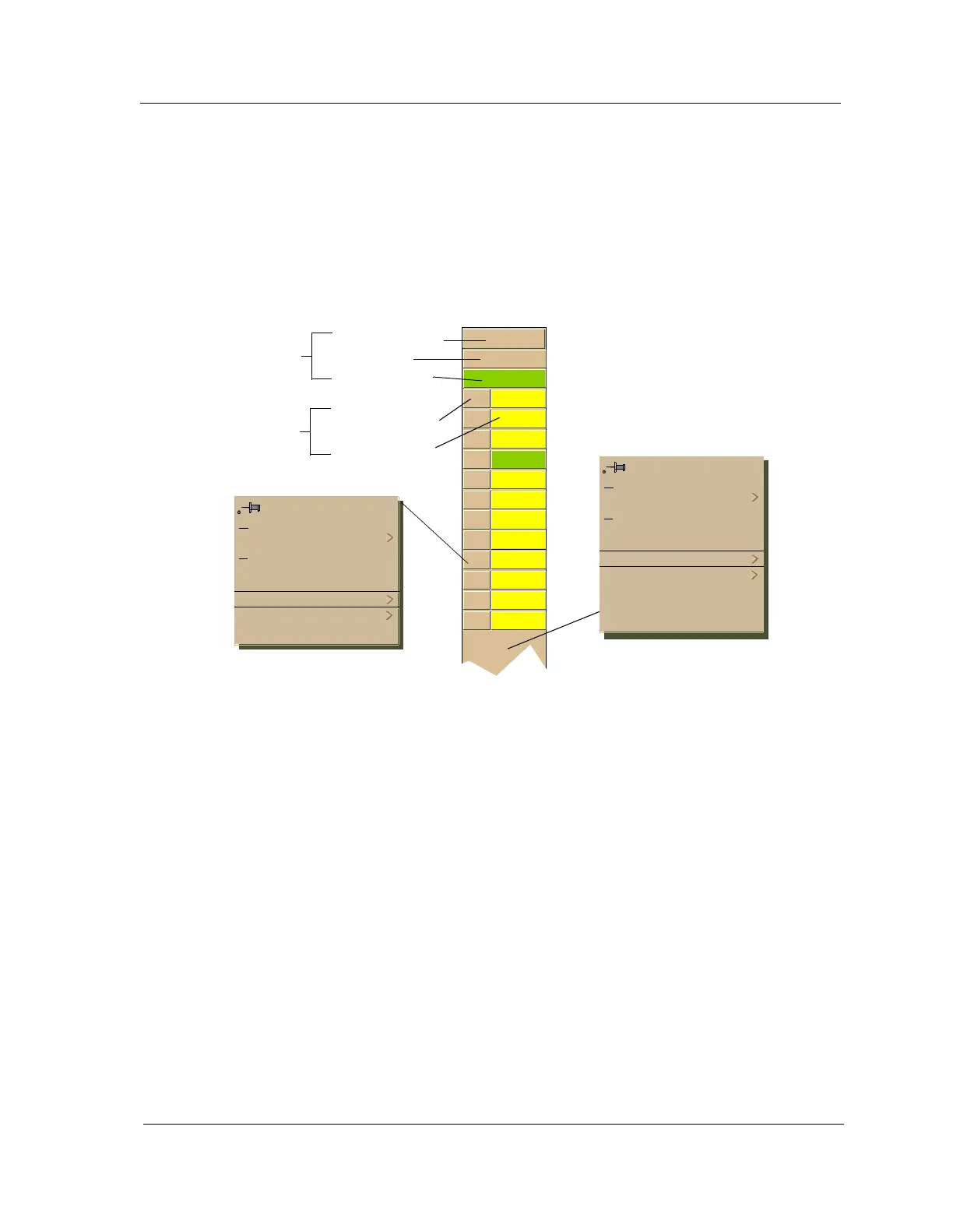
This icon is a logical representation of the physical module. It shows the
location in the hub chassis and its front panel interfaces and ports. Figure 2-2
shows an example of an Ethernet Module icon.
Figure 2-2. Ethernet Module Icon
Module Identification Labels
These labels provide the following information:
Module Number
Identifies the number of the module in the hub. Double-click this label to
access the Module Notes.
Module Type
Identifies the type of module that occupies this slot in the hub. Double-click
this label to access the Model Information view described in the SPECTRUM
Views.
Module Status
Identifies the status of the module. Double-click this label to access the
performance view. Performance views are described in the SPECTRUM
Views. Module status conditions are defined as follows:
• ON - Green
• PAR (Partitioned) - Yellow
2
3308
ON
1 NLNK
2 NLNK
3 NLNK
4 ON
5
NLNK
6 NLNK
7 NLNK
8 NLNK
9 NLNK
10 NLNK
11 NLNK
12 NLNK
Close Alt+F4
Navigate
A
larms
Performance
Notes...
Utilities
Port Notes
Port Performance
Close Alt+F4
Navigate
A
larms
Performance
Notes...
Utilities
Module Notes
Module Port Table
Module Configuration
Module Performance
Module Number
Model Type
Module Status
Module
Identification
Labels
Port Icons
Port Number Label
Port Status Label



 To Next Page