Anti-Lock
Brake
System
Warning
Light
LOCK
ANT‘-
(@)
ANTI
-
LOCK
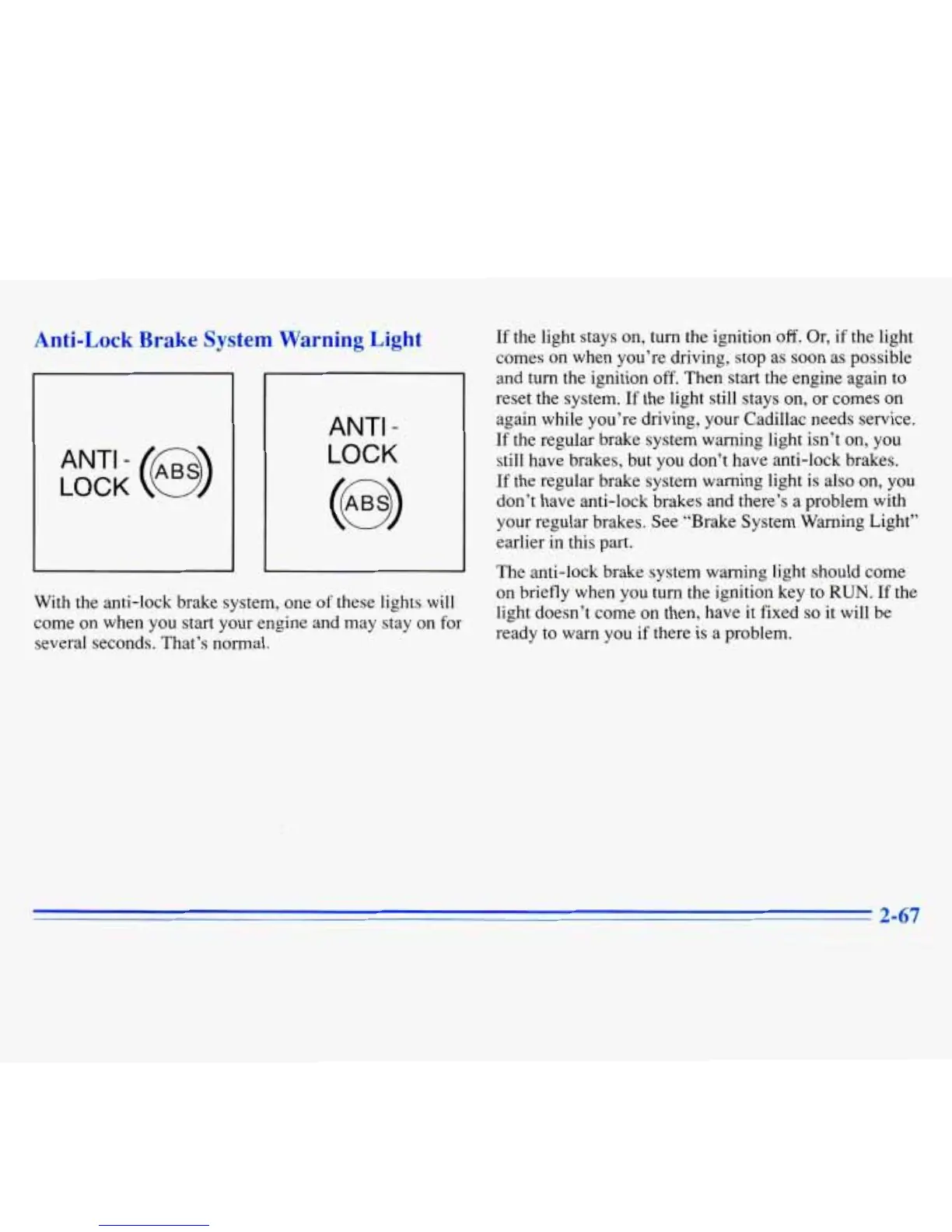
With the anti-lock brake system, one of these lights will
come on when you start your engine and may stay on for
several seconds. That’s normal.
If the light stays on, turn the ignition
off.
Or, if the light
comes on when you’re driving, stop as soon as possible
and turn the ignition off. Then start the engine again to
reset the system.
If
the light still stays
on,
or comes on
again while you’re driving, your Cadillac needs service.
If
the regular brake system warning light isn’t on,
you
still have brakes, but
you
don’t have anti-lock brakes.
If
the regular brake system warning light is also on,
you
don’t have anti-lock brakes and there’s a problem with
your regular brakes. See “Brake System Warning Light’’
earlier in this part.
The anti-lock brake system warning light should come
on briefly when
you
turn the ignition key
to
RUN.
If
the
light doesn’t come on then, have it fixed
so
it will be
ready to warn you if there
is
a problem.
2-67
~











 To Next Page