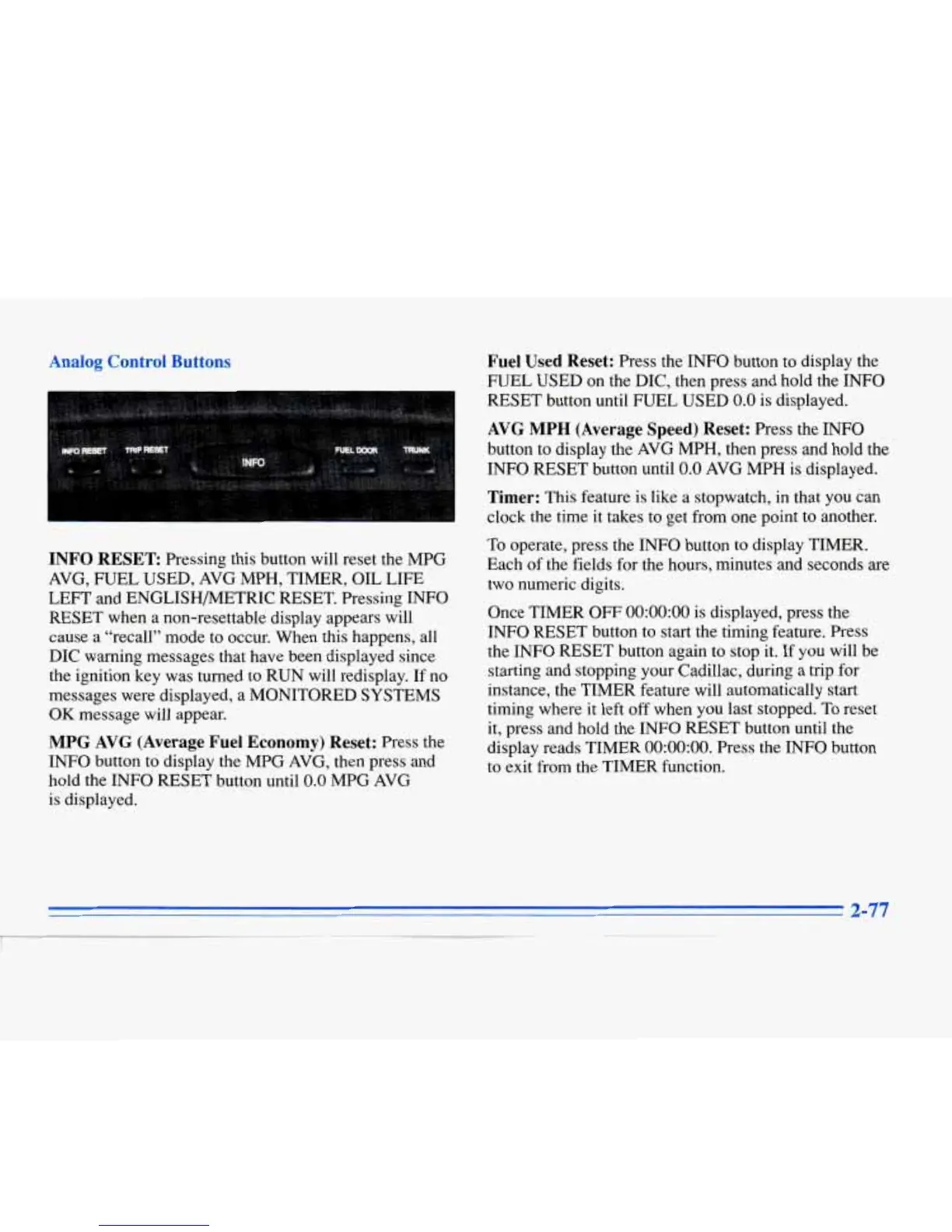
nalog Control Buttons
INFO
RESET Pressing this button will reset the MPG
AVG, FUEL USED, AVG MPH, TIMER, OIL LIFE
LEFT and ENGLISHMTRIC RESET. Pressing INFO
RESET when a non-resettable display appears will
cause a “recall” mode to occur. When this happens, all
DIC warning messages that have been displayed since
the ignition key was turned to RUN will redisplay. If no
messages were displayed, a MONITORED SYSTEMS
OK
message will appear.
MPG AVG (Average Fuel
Economy)
Reset:
Press the
INFO button to display the MPG AVG, then press and
hold the INFO RESET button until
0.0
MPG AVG
is displayed.
Fuel Used Reset:
Press the INFO button to display the
FUEL USED on the DIC, then press and hold the INFO
RESET button until FUEL USED
0.0
is
displayed.
AVG
MPH
(Average Speed) Reset:
Press the
INFO
button to display the AVG MPH, then press and hold the
INFO RESET button until
0.0
AVG
MPH is displayed.
Timer:
This feature is like a stopwatch, in that you can
clock the time it takes to get from one point to another.
To operate, press the INFO button to display TIMER.
Each of the fields for the hours, minutes and seconds are
two numeric digits.
Once TIMER OFF
0O:OO:OO
is displayed, press the
INFO RESET button to start the timing feature. Press
the INFO RESET button again to stop it. If you will be
starting and stopping your Cadillac, during a trip for
instance, the TIMER feature will automatically start
timing where it left
off
when you last stopped. To reset
it, press and hold the INFO RESET button until the
display reads TIMER
0O:OO:OO.
Press the
INFO
button
to exit from the TIMER function.



 To Next Page