Radio 17
Radio
AM-FM Radio
Playing the Radio
While on the audio main page the
available sources are: AM, FM,
SiriusXM (if equipped), My Media,
USB, Bluetooth, and AUX Input.
.
Touch the RADIO screen button
to scroll through AM, FM,
or SXM (if equipped).
.
Touch the MEDIA screen button
to scroll through My Media,
USB, Bluetooth, and AUX Input.
Infotainment System Settings
Touch the RADIO screen button to
access broadcast sources.
Touch the MENU screen button to
display the following menus:
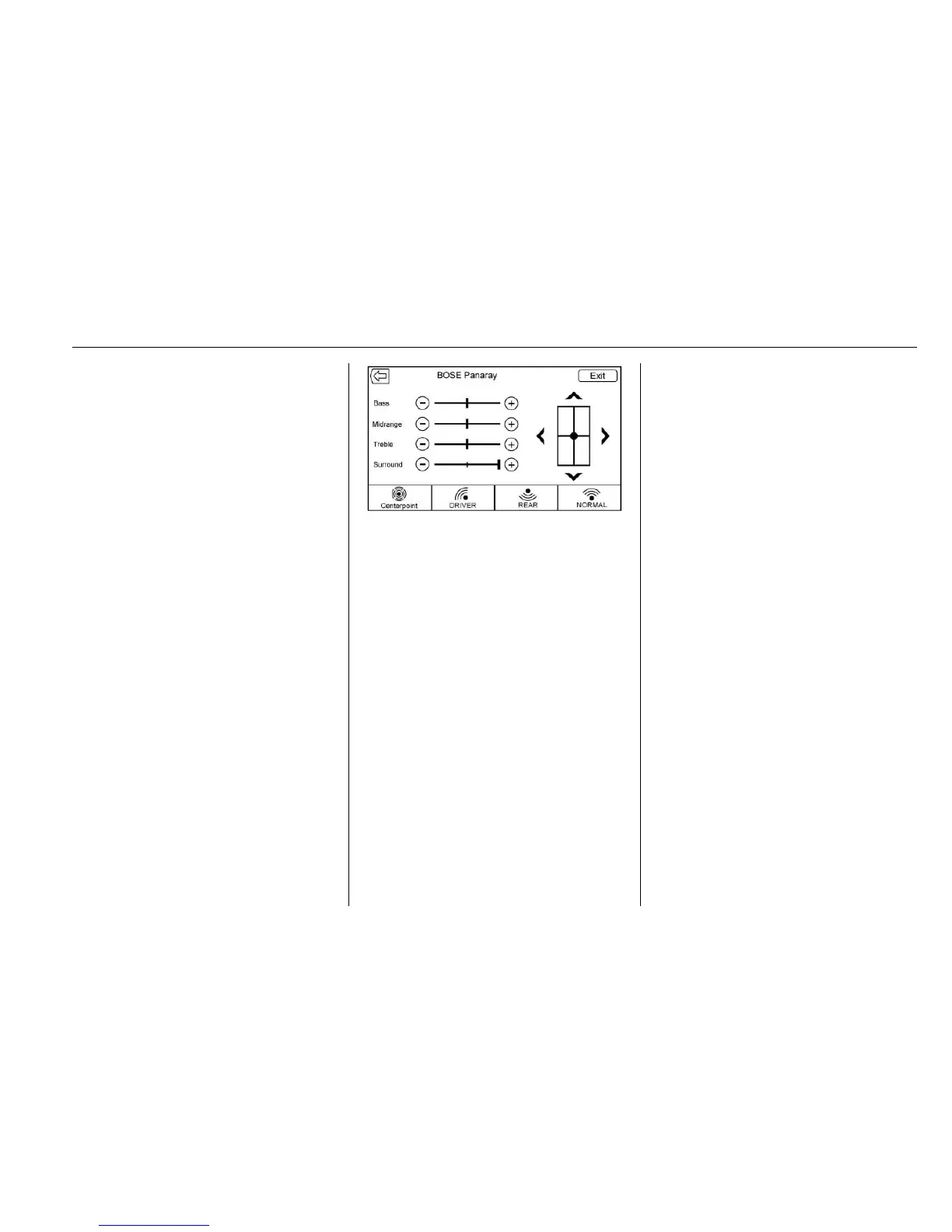
Tone Settings :
.
Bass, Midrange, and Treble :
Touch + or − to adjust.
.
Surround (if equipped):
Touch + or − to adjust. Surround
control adjusts the headrest or
seat speaker volume only.
.
Balance: Touch
S or T for more
sound from the left or right
speakers. The middle position
balances the sound between the
left and right speakers.
.
Fade: Touch
y or z for more
sound from the front or rear
speakers. The middle position
balances the sound between the
front and rear speakers.
EQ (Equalizer) Settings : The
available choices are Custom
or Talk.
DSP Modes (If Equipped) :
.
Bose
®
Panaray
®
system and
Bose Centerpoint
®
Surround
sound systems have four DSP
modes:
‐ Normal: Adjusts the audio to
provide the best sound for all
seating positions.
‐ Driver: Adjusts the audio to
provide the best sound for the
driver.
‐ Rear: Adjusts the audio to
provide the best sound for the
rear seat occupants.
‐ Centerpoint: Turns on the
Bose Centerpoint surround
technology. This setting
creates a surround sound
listening experience from
nearly any audio source;
existing stereo, satellite radio,
and MP3 players. For more
information on Bose





 To Next Page