Voice Recognition 85
Voice Recognition
Voice recognition allows for
hands-free operation within the
navigation, audio, phone, and
weather applications. This feature
can be started by pressing either
the
g button on the steering wheel
or
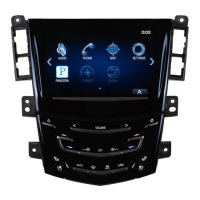
g on the touchscreen display.
However, not all features within
these areas are supported by voice
commands. Generally, only complex
tasks that require multiple manual
interactions to complete are
supported by voice commands.
For example, tasks that take more
than one or a two button touch such
as selecting a song or artist to play
from a media device would be
supported by voice commands.
Other tasks, like adjusting the
volume or seeking up or down, are
audio features that are easily
performed by touching one or two
buttons, and are not supported by
voice commands.
In general there are flexible ways to
speak commands for completing the
tasks. Most of them, except
destination entry and voice keypad,
can be completed in a single
command. If the task takes more
than one command to complete, the
first command should be to indicate
the kind of task to be performed, like
“ NavigationDestination Entry.” The
system replies with prompts that
lead you through a dialog to enter
the necessary information. For
example, if a destination for route
guidance is needed, say
“Navigation” or “Destination Entry.”
If your language supports it, try
stating a One Shot command, such
as “Navigate to Address one two
three Main Street, Lansing
Michigan.” This type of destination
entry command is supported in
some languages. Another example
of a One Shot Destination Entry
command is, “Navigate to Place Of
Interest – Hotels.” If these
commands don’t work, try saying,
“Navigate to Place of Interest” or
“Navigate to Address” and the
system will for the rest.
Voice recognition can be used when
the ignition is on or when Retained
Accessory Power (RAP) is active.
See “Retained Accessory Power
(RAP)” in the owner manual.
Using Voice Recognition
Voice recognition becomes available
once the system has been
initialized. This begins when the
ignition is turned on. Initialization
may take a few moments.
1. Touch
g on the steering wheel
control to activate voice
recognition, or touch
g on the
infotainment touchscreen on
the center stack.
.
If voice recognition is
started from the steering
wheel control, the
instrument cluster displays
the selections and visual
dialog content.
.
If voice recognition is
started from the
infotainment touchscreen ,
the selections and visual
dialog content are








 To Next Page