34 Rear Seat Infotainment
Rear Seat
Infotainment
Rear Seat Infotainment
(RSI) System
If equipped, the system includes a
Blu-ray/DVD/CD player, 2 USB
ports, HDMI/MHL input, 2 wireless
headphones, and a remote control.
The remote control is used to select
the same or a different source for
each screen from the rear seats.
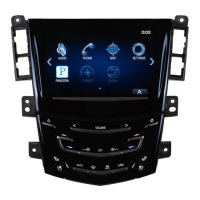
Video can be viewed from the front
by touching the Video screen icon,
if the vehicle is in P (Park). Audio
will be heard over the speakers.
If another screen icon is selected,
the video on the rear screen will
continue to play but the audio on the
speakers will change to the source
selected.
To resume play of the video where it
left off, Pseudo Resume must be
on. See “Player Setup BD/DVD"
later in this section.
The RSI system may not operate
properly until the temperature is
above −20°C (−4°F) and below 55°
C (131°F).
System Operation
The video screens are in the back
of the driver and front passenger
seats.
To use:
1. Slide screen switch left or right
on the remote control for the
desired screen.
2. Press the power button on
remote control to raise and turn
on the video display.
If Remember Status has been
selected in the menu, the
screens will return to the same
position when the vehicle was
turned off.
3. Select Screen Tilt from any
menu to move the screen
viewing position.
The screen will always return
to the selected position until a
new position is selected.
The system can also be turned on
from the front infotainment system
by touching the Video icon and then
touching the On/Off button.
The screens lower automatically
when the vehicle is turned off..
IF RSI audio is desired without
video being displayed, go to the
Settings Menu and select Display
OFF. The display will turn back on
with the press of any button on the
remote.
Caution
Avoid directly touching the video
screen, as damage may occur.
Sources
Sources include AM, FM, XM (if
equipped), HDMI/MHL, CD/DVD/
Blu-ray, and USB.
Menus and Features
AM/FM Menu
Press the
{ (Home) button on the
remote, select RADIO, then select
AM or FM.








 To Next Page