Radio 19
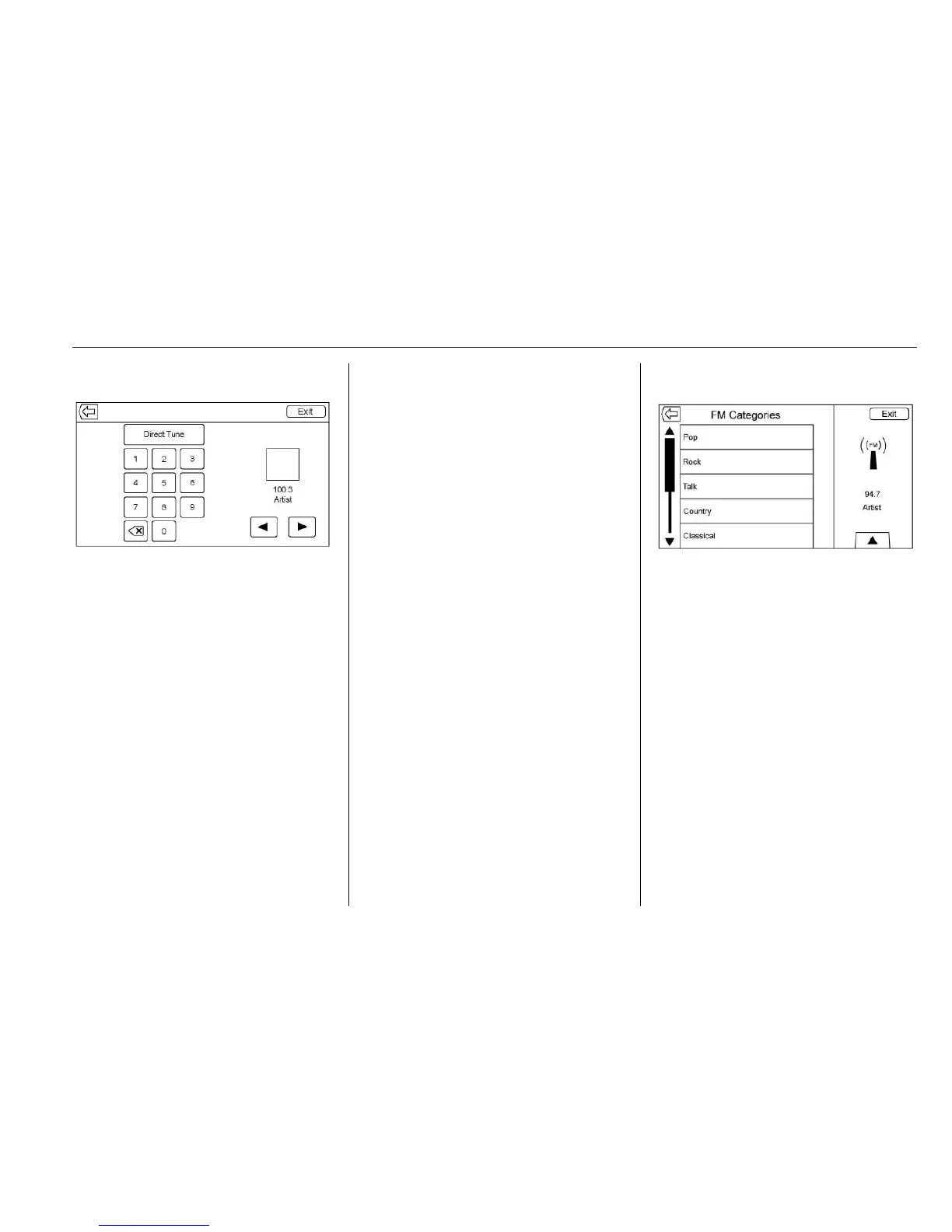
Direct Tune
Access Direct Tune by touching the
interaction selector TUNE screen
button to bring up the keypad.
Navigate up and down through all
frequencies or directly enter a
station using the keypad. When a
new station is entered the
information about that station
displays on the right hand side. This
information will update with each
new valid frequency tuned to.
The keypad will gray out entries that
do not contribute to a valid
frequency and will automatically
place a decimal point within the
frequency number, as needed.
A valid station will automatically
tune to the new frequency but not
close the direct tune window. Touch
the Back or Exit screen buttons.
The tune arrows on the right side of
the direct tune display tunes through
the complete station list one station
step at a time per touch. A touch
and hold advances 10 frequency
steps per second.
Touch the (X) arrow delete screen
button to delete one character at a
time. Touch and hold the (X) delete
screen button to delete all
characters.
In AM-FM modes, touch the
s or t
for the radio to go to the next or
previous strong station. Touch
Direct Tune to advance to the next
or previous frequency step in AM or
FM mode or directly enter or tune to
the frequency on the keypad.
AM-FM Categories
AM-FM Categories are available
under the AM-FM audio menu.
Touch AM-FM Categories to gain
access to the AM-FM
Categories list.
The categories list contains
category names associated with
AM-FM Channels. Selecting a given
category name displays a list of
channels for that category.
Storing Radio Station Presets
Favorites are stored in the area at
the bottom of the screen.







 To Next Page