38 Rear Seat Infotainment
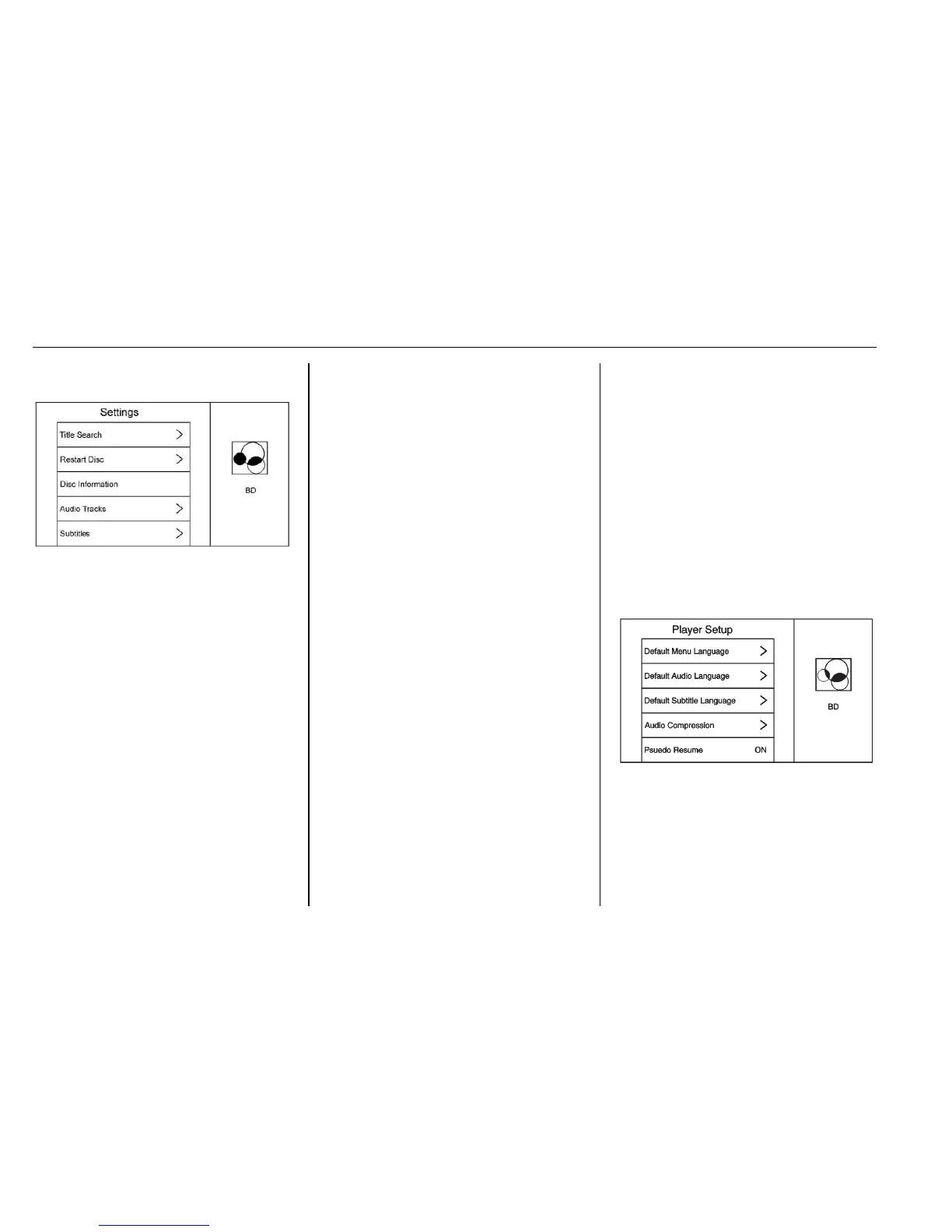
Settings BD/DVD
Select to access:
.
Browse Media (BDAV, AVCREC,
DVD-A, DVD-VR only): Allows
browsing by Video List or
Playlist.
.
Resume Playback: Restarts disc
where left off.
.
Title Search (AVCHD, DVD-V,
BDMV only): Allows the titles
provided by the disc to be
searched. Select this option to
bring up a keypad to search for
specific titles.
.
Top Menu
.
Restart Disc: Restarts the disc
from the beginning.
.
Disc Information (if available)
.
Audio Tracks
.
Subtitles
.
Angle (BDMV, DVD-V, DVD-A
only): Select an angle by using
the up and down arrows to
highlight the option and pressing
ENTER or the right arrow.
.
Screen Mode: Adjusts the
framing on the RSI display.
Select Normal, Wide, or Zoom.
Screen Mode only applies to
video sources and should be
maintained if the disc is ejected.
.
Wired Headphones: Use to listen
to audio on the wired
headphones. The headphone
audio plays depending on which
screen is selected. The default is
screen 1 audio.
.
Brightness: Increase the
brightness by using the up or
right arrow and decrease the
brightness by using the down or
left arrow. Each screen
brightness can be adjusted
separately.
.
Player Setup: See "Player Setup
BD/DVD" later in this section.
.
DivX (if available)
.
Display Off: Lowers the screen
but selected audio will continue
to play.
.
Screen Tilt: Adjusts screen tilt
angle.
.
Remember RSE Status: Returns
the screens to the same position
when the vehicle was turned off.
.
Software Information
Player Setup BD/DVD
Player Setup may include:
.
Default Menu Language: With no
disc inserted, select from a list of
languages or enter a
language code.







 To Next Page