44 Rear Seat Infotainment
Sourcing DVD/BD/USB/VCD/HDMI
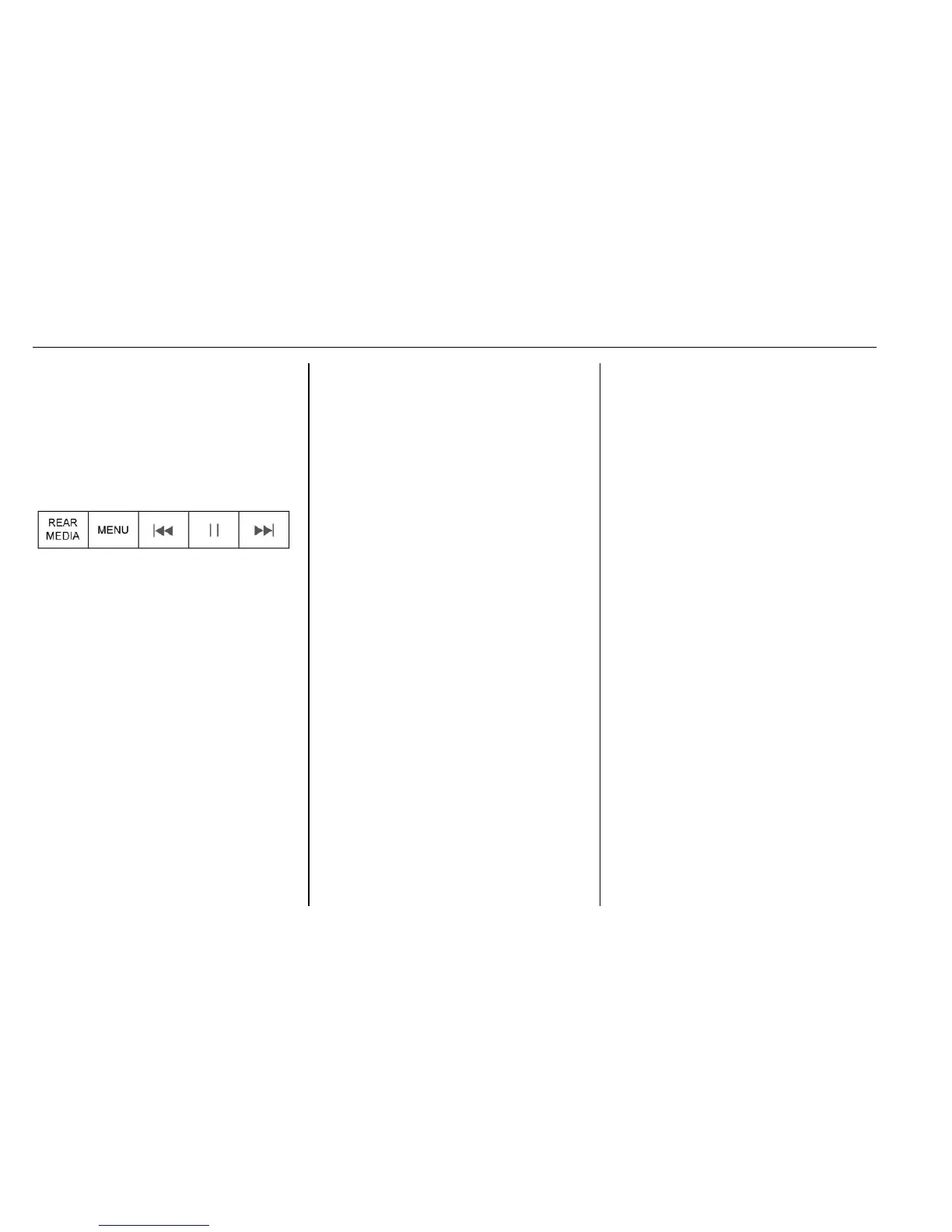
With the vehicle in D (Drive), the
following icons display along the
bottom of the front screen when one
of these sources is active:
DVD/BD/USB/VCD: All buttons are
available.
HDMI: Only REAR MEDIA and
MENU are available.
Rear Media
Use to select Disc, USB, or HDMI
sources. Both rear screens will be
sourced and will begin playback of
the first available file. The video will
only display on the front screen if
the vehicle is in P (Park). In any
other gear, the front screen displays
the active media source.
Previous Track/Next Track
Touch
t or u to select the
previous or next track on the current
media.
Play/Pause
Touch
r to play or j to pause,
depending on the current selection.
Menu (DVD/BD/USB/HDMI/VCD)
Only available in D (Drive). Press
y
(Menu) to display these options:
.
Tone Settings: Use to set bass,
mid, and treble on speakers
only. Once set, tone settings are
for all sources.
.
Auto Volume Control: Adjusts
the volume of the audio based
on the speed or ambient noise of
the vehicle. Some vehicles may
be equipped with the Bose
AudioPilot system. In these
cases, the Auto Volume main
menu item is replaced with the
Bose AudioPilot menu item. AVC
or Bose AudioPilot is available to
use with any source mode.
.
Traffic Announcements: Displays
traffic alerts in the RSI system.
The video will continue to play
and the audio will mute,
depending on the alert.
Closing the Menu (DVD/BD)
Touch Back or Exit to close a menu.
This will return to the previously
viewed screen.
Power
Press the power button on the front
screen to turn the RSI screen on or
off. The front screen will continue to
operate when the overhead screen
is turned off. A red lit power button
indicates the rear screens are on.
A white lit power button indicates
the rear screens are off.






 To Next Page