Cadillac XTS Owner Manual (GMNA-Localizing-MidEast-10292881) - 2017 -
crc - 7/1/16
12 IN BRIEF
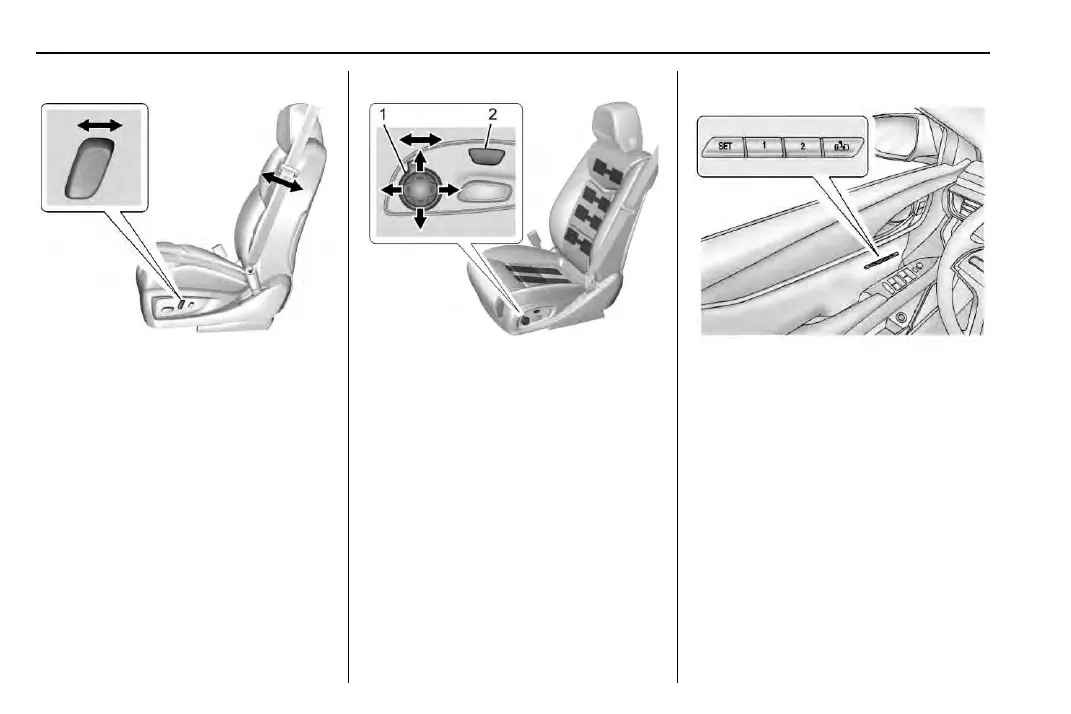
Reclining Seatbacks
Base Shown, Uplevel Similar
To adjust the seatback:
.
Tilt the top of the control
rearward to recline.
.
Tilt the top of the control for ward
to raise.
See Reclining Seatbacks 0 56.
Massage
Driver Seat Shown, Passenger Seat
Similar
If equipped, the ignition must be on
to use the massage feature.
To activate and adjust massage:
1. Turn the selection control (1) to
view massage options on the
infotainment display.
2. Select massage feature.
3. Press up or down to select
massage type.
See Massage 0 60.
Memory Features
Driver Buttons Shown, Passenger
Buttons Similar
If equipped, the SET, 1, 2, and
B
(Exit) buttons on the driver door and
front passenger door are used to
manually store and recall memory
settings for the driver and passenger
seats. The driver memor y buttons also
store outside mirror and power tilt
and telescoping steering column
positions, and massage settings (if
equipped).
When Auto Memory Recall is enabled
in the personalization menu, positions
previously stored to memory buttons



 To Next Page