Cadillac XTS Owner Manual (GMNA-Localizing-MidEast-10292881) - 2017 -
crc - 7/1/16
156 LIGHTING
ON : Turns the lamp on.
Reading Lamps
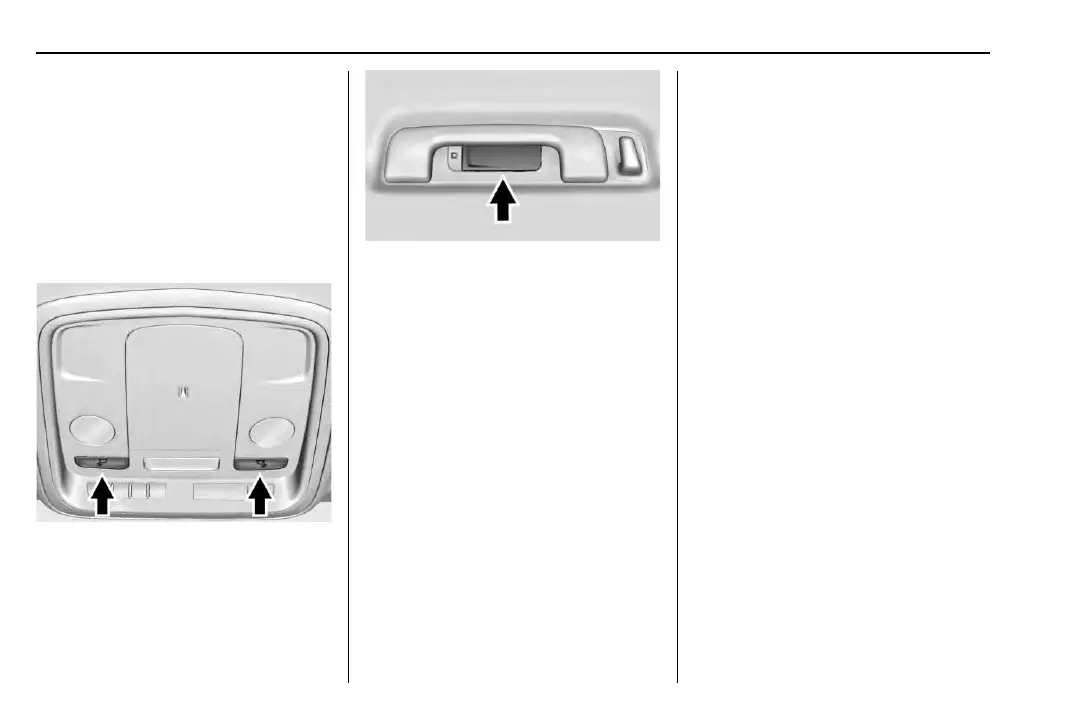
There are reading lamps on the
overhead console and over the rear
passenger doors. These lamps come
on automatically when any door is
opened. To manually turn the reading
lamps on or off:
Press m or n next to each overhead
console reading lamp.
Press the lamp lenses to turn the rear
passenger reading lamps on or off.
Lighting Features
Entry Lighting
The headlamps, taillamps, license
plate lamps, outside mirror lamps,
exterior door handle lamps, dome
lamps, and most of the interior lights
turn on briefly at night or in areas of
limited lighting when
K is pressed on
the Remote Keyless Entr y (RKE)
transmitter. See Remote Keyless Entry
(RKE) System Operation 0 27. When
the driver door is opened, all control
lights, Driver Information Center (DIC)
lights, and door pocket lights turn on.
After about 30 seconds the exterior
lamps turn off, then the dome lamps
and remaining interior lights dim to
off. Entr y lighting can be disabled
manually by changing the ignition out
of the OFF position, or by pressing
Q
on the RKE transmitter.
This feature can be changed. See
“Vehicle Locator Lights” under Vehicle
Personalization 0 144.



 To Next Page