Cadillac XTS Owner Manual (GMNA-Localizing-MidEast-10292881) - 2017 -
crc - 7/1/16
DRIVING AND OPERATING 195
Warning (Continued)
.
Visibility is low, such as in
fog, rain, or snow conditions.
ACC performance is limited
under these conditions.
.
On slipper y roads where fast
changes in tire traction can
cause excessive wheel slip.
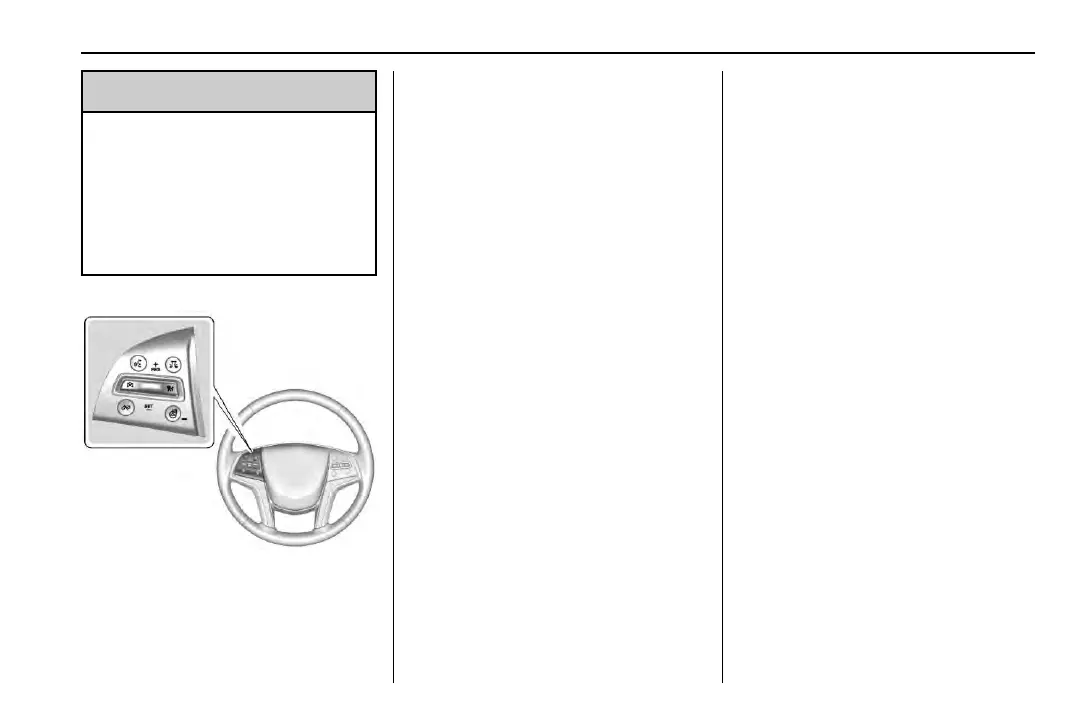
J : Press to turn the system on or
off. The indicator turns white on the
instrument cluster when ACC is
turned on.
+RES : Press the control up briefly to
resume the previous set speed or to
increase vehicle speed if ACC is
already engaged. To increase speed by
1 km/h (1 mph), press +RES up to the
first detent. To increase speed to the
next 5 km/h (5 mph) mark on the
speedometer, press +RES up to the
second detent.
SET– : Press the control down briefly
to set the speed and activate ACC or
to decrease vehicle speed if ACC is
already engaged. To decrease speed by
1 km/h (1 mph), press SET− down to
the first detent. To decrease speed to
the next 5 km/h (5 mph) mark on the
speedometer, press SET− down to the
second detent.
* : Press to disengage ACC without
erasing the selected set speed.
[ : Press to select a following gap
time (or distance) setting for ACC of
Far, Medium, or Near.
The speedometer reading can be
displayed in either English or metric
units. See Instrument Cluster 0 112.
The increment value used depends on
the units displayed.
Setting Adaptive Cruise Control
If
J is on when not in use, it could
get pressed and go into ACC when not
desired. Keep
J off when cruise is
not being used.
Select the set speed desired for cruise.
This is the vehicle speed when no
vehicle is detected in its path.
ACC will not set at a speed less than
25 km/h (16 mph), although it can be
resumed when driving at lower
speeds.
To set ACC:
1. Press
J.
2. Get up to the desired speed.
3. Press and release SET–.
4. Remove your foot from the
accelerator.
After ACC is set, it may immediately
apply the brakes if a vehicle ahead is
detected closer than the selected
following gap.



 To Next Page