Need help?
Do you have a question about the CalDigit TS3 Lite and is the answer not in the manual?
Overview of the CalDigit Thunderbolt Station 3 Lite's capabilities and purpose.
Guidelines for safe and optimal operation of the TS3 Lite.
Critical safety precautions to prevent damage or injury when using the TS3 Lite.
Specifies the necessary hardware and software for using the TS3 Lite.
Lists the components included with the CalDigit TS3 Lite package.
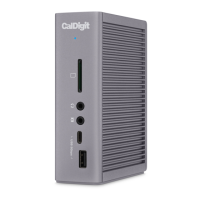
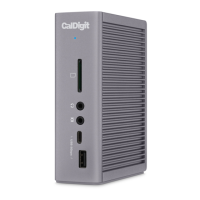
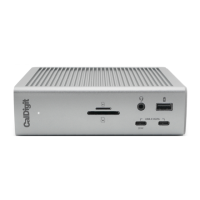
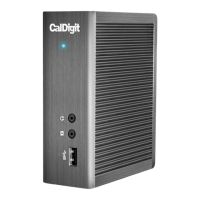
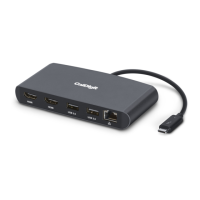
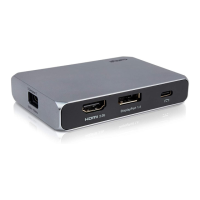
Illustrates the ports and features of the CalDigit TS3 Lite.
Instructions on connecting the AC adapter for powering the TS3 Lite.
Steps to establish a connection between the TS3 Lite and a computer via Thunderbolt 3.
Explanation of the LED indicator's status lights for power and connectivity.
Guide to using the utility for safely disconnecting USB storage devices.
Details on the two Thunderbolt 3 Type-C ports for data, video, and daisy-chaining.
Description of the USB 3.1 5Gb/s Type-C port for data transfer.
Information on the two USB 3.1 5Gb/s Type-A ports with Battery Charging.
Details on the DisplayPort for connecting monitors up to 4K resolution.
Information about the Gigabit Ethernet port and its wake-on-LAN feature.
Details on the 3.5mm audio input and output ports for sound devices.
Physical specifications including width, depth, height, and weight of the TS3 Lite.
List of all physical ports available on the TS3 Lite.
Specifications for the AC input and DC output of the TS3 Lite power adapter.
Recap of system requirements for Mac and Windows computers.
Details on the ambient operating temperature range for the TS3 Lite.
Available Thunderbolt 3 cable options for connecting the TS3 Lite.
Information on the specific power supply unit (PSU) for the TS3 Lite.
Details on compatible USB-C to VGA and HDMI adapters.
Contact information and procedures for obtaining technical assistance.
Details on the limited warranty coverage and how to find more information.
 General
| Brand | CalDigit |
|---|---|
| Model | TS3 Lite |
| Category | Docking Station |
| Language | English |


 To Next Page