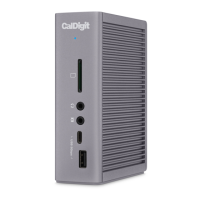
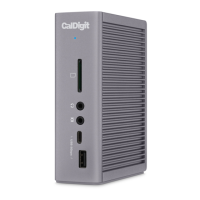
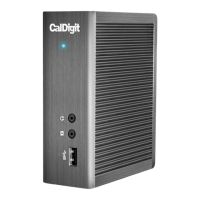
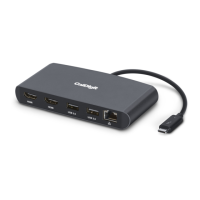
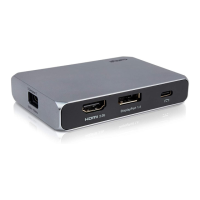
The CalDigit Thunderbolt Station 4 (TS4) is a versatile docking station designed to expand the connectivity and power delivery capabilities of your Thunderbolt 4, Thunderbolt 3, USB4, or USB-C host device. It offers a comprehensive array of ports, allowing users to connect a wide range of peripherals and external displays, while also providing up to 98W of power delivery to charge the host device. The TS4 also supports fast network connectivity with its 2.5 Gigabit Ethernet port.
Function Description
The primary function of the TS4 is to act as a central hub for all your peripheral devices, simplifying cable management and expanding the capabilities of your computer or iPad. By connecting a single Thunderbolt 4 cable from the TS4 to your host device, you gain access to 18 additional ports, including multiple Thunderbolt 4, USB-C, USB-A, SD/microSD card slots, DisplayPort, and Ethernet. This single connection also delivers up to 98W of power, effectively charging your laptop while you work.
The TS4 is compatible with a variety of operating systems and devices, including macOS 11.4 or above, Windows 10 (20H2) or above, Thunderbolt 4/3 computers, USB-C (USB4) computers, USB-C computers, Thunderbolt or USB-C iPads, Windows Tablets, and Chromebooks (Thunderbolt 4, USB4, USB-C).
Usage Features
- Powering the TS4: To operate, the TS4 requires power from its included 230W AC adapter. Simply connect the AC adapter to the DC jack on the back of the TS4 and plug the other end into an AC outlet. To power off the TS4, disconnect the power cable from the AC outlet.
- Connecting to Your Computer: Once powered on, connect the TS4 to your computer using the supplied 0.8m passive Thunderbolt 4 cable. This cable should be connected from the Thunderbolt 4 port labeled "Computer" on the TS4 to a Thunderbolt 4, Thunderbolt 3, or USB-C port on your host device. This single connection provides both expanded connectivity and up to 98W of charging power. It is crucial to use the supplied Thunderbolt 4/USB4 cable or a certified 40Gb/s Thunderbolt 4/USB4 cable for optimal performance.
- LED Indicator: The TS4 features an LED indicator that illuminates white when the unit is powered on and successfully connected to your computer, providing a quick visual confirmation of its operational status.
- CalDigit Docking Station Utility (macOS): For macOS users, the CalDigit Docking Station Utility simplifies the disconnection of USB storage devices. This utility, available for download from the CalDigit website, allows you to eject all connected USB storage devices simultaneously or selectively eject individual devices from the top menu bar. This feature helps prevent data corruption by ensuring safe disconnection.
- Thunderbolt 4 Ports (x3): The TS4 includes three Thunderbolt 4 Type-C ports, offering data transfer speeds of up to 40Gb/s. One port is dedicated to connecting to your host computer, while the other two can be used to connect additional Thunderbolt 4 devices, supporting both video and data. The host port also provides up to 98W of power delivery.
- USB-C (10Gb/s) Ports (x3): Three USB 3.2 Type-C ports are available for data transfer at 10Gb/s. Two of these ports can supply up to 7.5W of power for bus-powered or charging devices. The front-facing USB-C port is designed for devices requiring more power, offering up to 20W for faster charging. All USB-C ports support "Offline Charging," meaning they can charge your devices even when the TS4 is not connected to a host computer.
- USB-A (10Gb/s) Ports (x5): The TS4 features five USB-A ports, all supporting 10Gb/s data transfer and 7.5W of power. Three of these ports are marked with a battery icon, indicating "Offline Charging" capability. This allows them to charge devices even when the TS4 is not connected to a host device. If you prefer not to use offline charging, connect devices to the USB-A ports without the battery icon.
- UHS-II SD/microSD Card Slots: Front-facing UHS-II SD (4.0) and microSD (4.0) card slots provide fast data transfer speeds of up to 312MB/s. These slots are compatible with SDXC, SDHC, and standard SD cards, making it convenient for photographers and videographers to offload media.
- DisplayPort 1.4: A full-size DisplayPort supports resolutions up to 8K. It can be converted to HDMI, miniDisplayPort, VGA, or DVI using active adapter cables or adapters. It's important to note that the DisplayPort on the TS4 is only compatible with active DisplayPort adapters; passive adapters will not function correctly. Displays connected to the DisplayPort are recognized as secondary by default, a setting that can be adjusted in "System Preferences" on macOS.
- Connecting Dual Monitors: The TS4 supports dual display functionality, with actual resolutions limited by the host device's GPU, OS, driver, and firmware. M1 Pro, M1 Max, Intel-based Macs, Thunderbolt 4, and Thunderbolt 3 PCs support dual displays. Original Apple M1 computers and USB-C PCs can only connect a single display.
- Option 1: Connect one monitor to the DisplayPort connector and the second monitor to one of the spare Thunderbolt 4 ports via a USB-C Video Adapter (sold separately).
- Option 2: Connect one monitor to one of the spare Thunderbolt 4 ports via a USB-C Video Adapter (sold separately) and the second monitor to another spare Thunderbolt 4 port via a USB-C Video Adapter (sold separately).
- Option 3: Connect two USB-C or Thunderbolt monitors directly to two of the Thunderbolt 4 ports.
- 2.5 Gigabit Ethernet: The TS4 includes a 2.5 Gigabit Ethernet port, offering up to 2.5 times the performance of standard Gigabit Ethernet. It is backward compatible with standard Gigabit Ethernet and can be used with 5GbE or 10GbE networks. This feature is only supported on Thunderbolt-based hosts.
- Audio Ports: The TS4 features a front-facing audio combo port (headphone/microphone), a rear-facing audio out port, and a rear-facing audio in port. Only one set of audio ports (either the front combo port or the rear audio ports) can be active at a time. If all three are connected, the TS4 defaults to the front audio port. Disconnecting the front audio device will switch audio to the rear ports. On macOS, audio devices must be selected in "System Preferences" under the "Sound" section, appearing as 'CalDigit TS4 Audio - Front' or 'CalDigit TS4 Audio - Rear'.
Maintenance Features
- General Use Warnings: To ensure the longevity and stable performance of your TS4, avoid using it in extreme temperatures (outside 50°F – 95°F / 10°C - 35°C) or humid environments, as moisture can damage electrical components. Always use the power adapter supplied with the TS4 to prevent unstable performance or device failure due to inadequate or excessive power.
- Safety Warnings: Keep the TS4 away from liquids and moisture to prevent damage, electric shock, and fire hazards. If the device gets wet while off, do not turn it on. Do not attempt to repair or open the device yourself, as this can cause personal injury, damage the device, and void the warranty. For any issues, contact CalDigit Technical Support.
- Technical Support: CalDigit provides comprehensive technical support. If you encounter any issues, you can contact them via email or phone (US and UK/EU numbers provided). When contacting support, it is helpful to have your TS4 serial number, operating system and version, and computer make and model readily available.
- Warranty: The TS4 is covered by a 2-year limited warranty, providing peace of mind for users. For more information on CalDigit products and warranty details, visit their website.

 Need help?
 General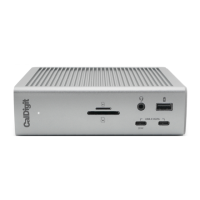

 To Next Page