15
How to connect Dual Displays to the TS4
Option 1
- Connect one monitor to the DisplayPort connector.
- Connect the second monitor to one of the spare Thunderbolt 4 ports via a
USB-C Video Adapter*.
Option 2
- Connect one monitor to one of the spare Thunderbolt 4 ports via a USB-C
Video Adapter*.
- Connect the second monitor to one of the spare Thunderbolt 4 ports via
a USB-C Video Adapter*.
Option 3
- Connect two USB-C or Thunderbolt monitors directly to two of the
Thunderbolt 4 ports.
*Adapters sold separately. Also available on the CalDigit Online Store.
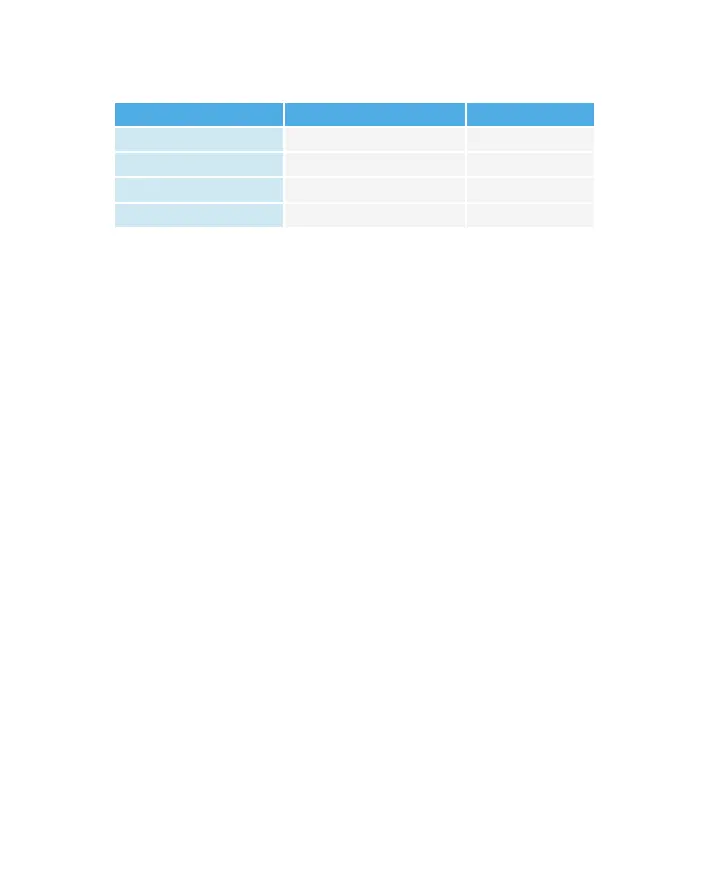
Resolution Video Display Frequency Dual Monitor
Full HD (1920 x 1080p) 60 Hz Yes
2K (2560 x 1600) 60 Hz Yes
4K 60 Hz Yes
6K 60 Hz** Yes
Dual Monitors : Connected to DisplayPort & Thunderbolt™ 4 Ports
(With use of a USB-C Video Adapter connected to the Thunderbolt™ 4 port)
**6K 60Hz is only possible on M1 Pro or M1 Max based computers.


 To Next Page