2!
!
!CONNECTING!TO!THE!WEB!SERVER!
!
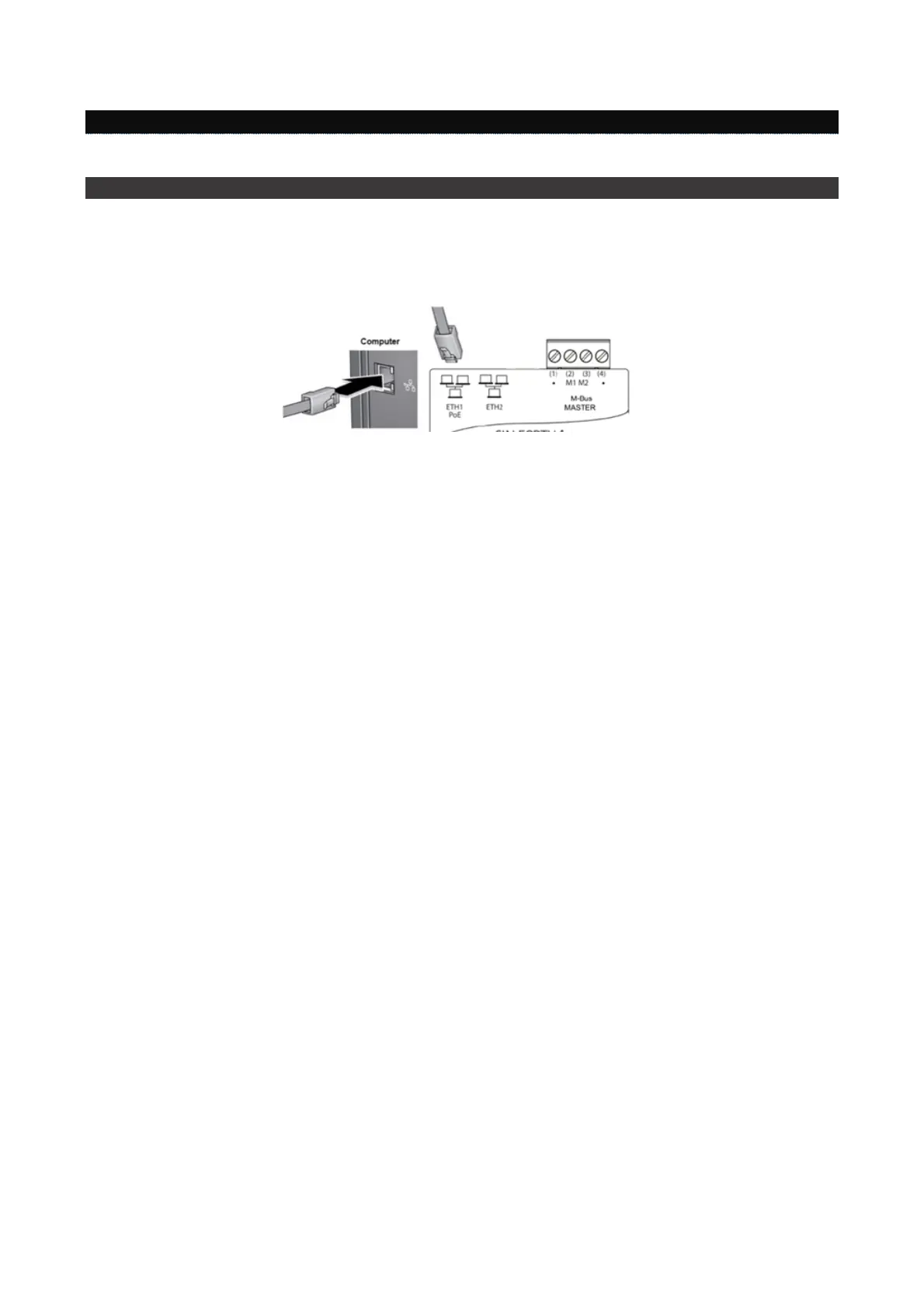
PC!>!DATA!EASY!direct!connection!
Use!a!T568A!or!T568B!Ethernet!cable!(straight!through!or!crossover)!to!con ne ct!D A TA !EA S Y!po rt!ET H 1!o r!ET H2 ,!w ithou t!
distinction,!to!the!PC.!!
!
!
!
Set!up!your!PC!network!card!to!allow!communication!between!the!two!devices.!!
To!change!the!PC!network!card!IP!address!refer!to!the!user!manual!of!the!Operating!System!installed!on!your!PC.!
!
• If!using!
Windows!10
,!right-click!on!the!
Start
!>!ico n !a t! th e ! b o t to m!left!of!the!sc re en!and!select!
Control!panel
!>!
Network!and!Sharing!Center!>!Change!adapter!settings
!(in!the!left-hand!menu)!and!select!the!
Ethernet
!icon;!
now!right-click!the!mouse!and!click!on!
Properties
!
• If!using!
Windows!8
,!right-click!on!the!
Start
!screen!image!at!the!bottom !left!of!the!screen!and!select!
Control!
panel
!(in!metro-style!mode:!Right-click!the!mouse!on!the!Start!screen!image;!an!All!Apps!icon!will!appear!at!
the!bottom!o f!the !scree n,!se lect!C on tro l!pane l)>!
Network!and!Sharing!Center!>
!
Change!adapter!settings
!in!the!
left-hand!menu!and!select!the!
Ethernet
!icon,!th e n !r ig h t-click!the!mouse!and!click!on!
Properties
!
• If!using!
Windows!7
,!click!on!
Start
!>!
Control!panel
!>!
View!network!status!and!tasks!
>
Change!adapter!settings!
(in!
the!left!sidebar),!right-click!on!
Local!area!connection!(LAN)!
and!select!
Properties
!in!the!menu!that!appears.!!
!
• If!using!
Windows!XP
,!go!to!
Start
!>
Control!panel!
>!
Network!and!internet!
>!
Network!connections
,!right-click!on!
Local!area!connection!(LAN)
!and!select!
Properties
!in!the!menu!that!appears.!
In!the!wind o w !th a t!n o w !o p e ns ,!sc ro ll!th ro ug h !th e !m e n u !e nt itled !
This!connection!uses!the!following!items
!and!double!
click!on!
Internet!Pro to c o l!V er sio n !4!( TC P /IP v 4 )
!to!enter!com p ute r!netw o rk!p rop ertie s.!Selec t!the!
Use!the!following!IP!
address
!box!and!type!the!IP!address!you!wish!to!assign!to!the!computer!in!the!
IP!address
!box.!The!IP!address!must!be!
entered!in!the!format!
192.168.1.xxx
!where,!in!place!of!the!xxx,!a!number!must!be!entered!from!1!to!255!(excluding!
110).!
!
!
!
! !



 To Next Page