3!
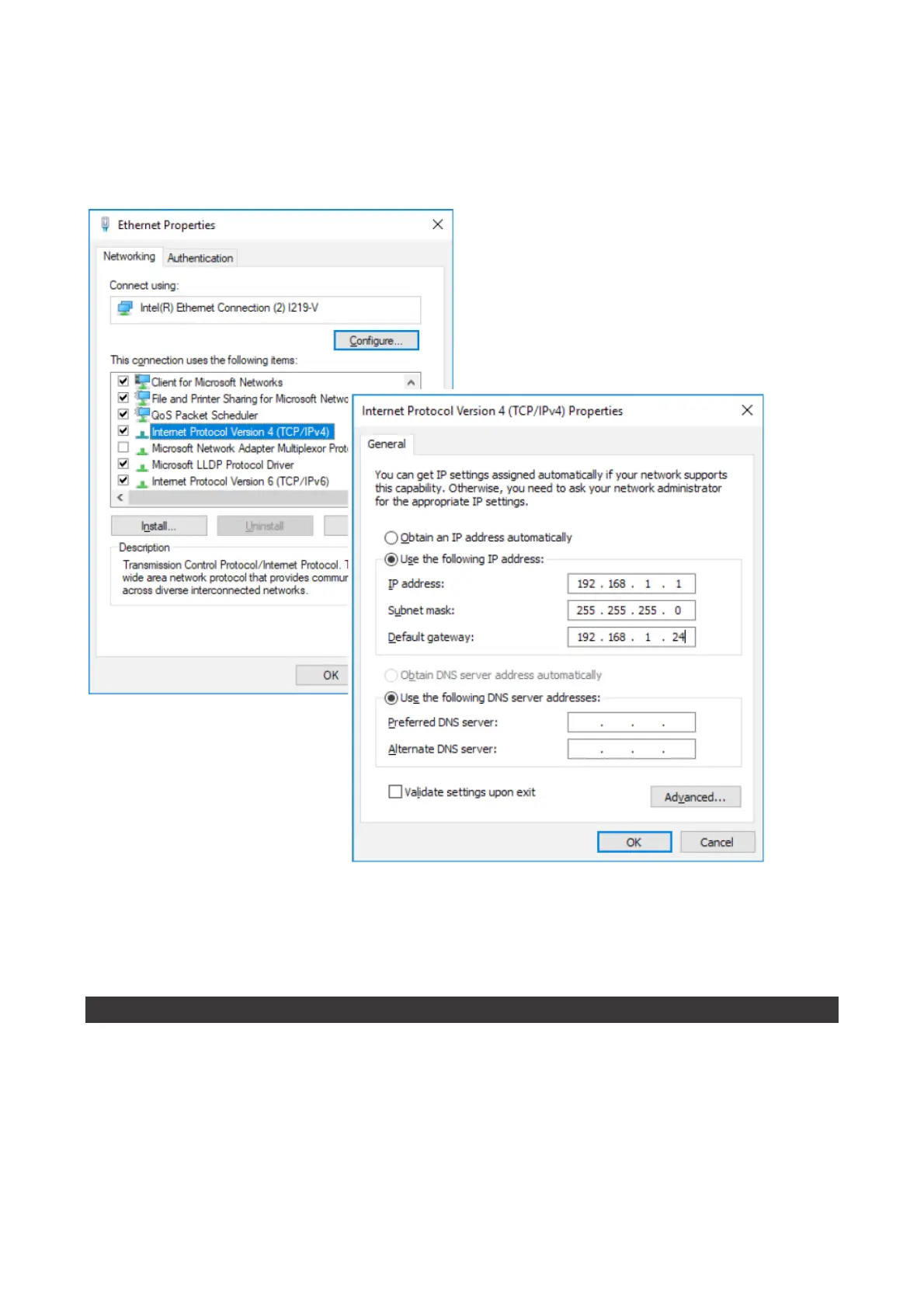
The!
Subnet!mask
!value!is!assigned!automatically!for!all!PCs!with!value!255.255.255.0,!while!the!address!of!the!DATA !
EASY!device,!i.e.!
192.168.1.110
!must!be!typed!in!the!
Default!gateway!
box.!The!
Preferred!DNS!server
!and!
Alternate!DNS!
server!
boxes!should!be!left!blank.!When!the!configuration!procedure!is!concluded,!first!click!on!
Apply
!and!then!on!
OK!
to!save!the!settings.!
Open!a!Web!browser!such!as!Chrome,!Safari,!or!Firefox!(Google!Chrome!recommended)!and!type!the!address!
192.168.1.110!or!the!address!assigned!to!the!device.!
When!the!authentication!form!is!displayed!enter!the!web!server!access!credentials!
Remote!connection!via!
GPRS-UMTS
!modem/router!or!
COMPANY!LAN/ADSL!network
!
• Open!a!web!browser!(Google!Chrome!recommended)!and!type!the!following!address:
caleffi.snpds.com/redirect.php/SNXXXXXXXX
where!XXXXXXXX!is!the!serial!number!of!DATA!EASY!as!shown!on!the!nameplate
• When!the!authentication!form!is!displayed!enter! the!web!server!access!credentials


 To Next Page