17!
!
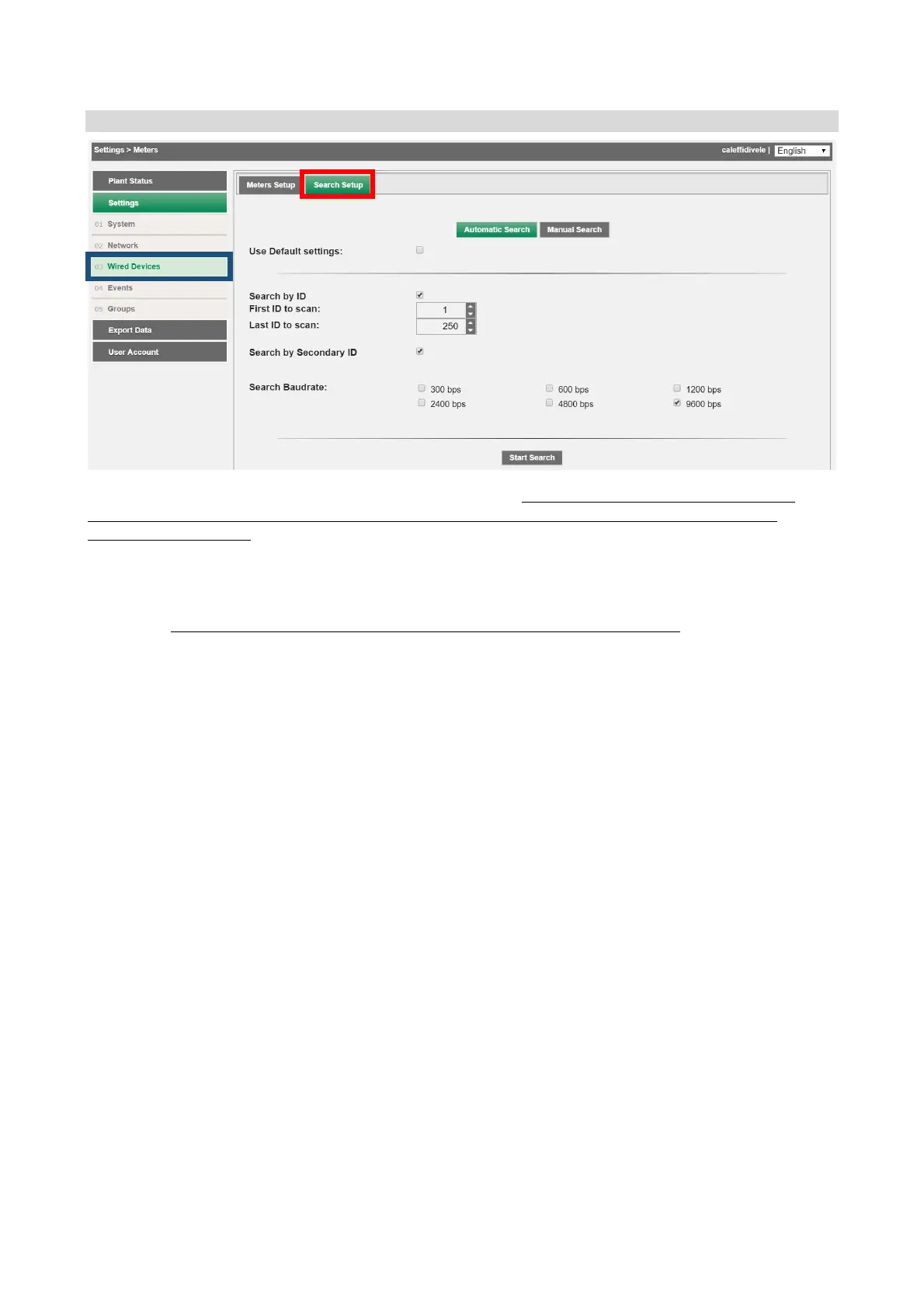
Settings!>!Wired!devices!>!Search!setup!
!
The!section!offers!two!different!search!types:!automatic!and!manual.!We%recommend%always%using%the%automatic%
meters%search%function,%using%the%manual%search%option%only%when%one%or%more%devices%is%not%recognised%by%the%
automatic%search%function;!this!m ay !o ccur!if!collisions!occur!during!the!automatic!search!that!make!it!impossible!to!
recover!all!the!devices!pre se nt!in!the!field!au tomatically,!or!if!certain!devices!have!a!non-standard!bau d!rate!(always!
consult!the!meter!datasheet!to!obtain!this!information).!
1. Automatic!Search!
We%recommend%always%performing%an%automatic%search%using%the%default%settings%
%
2. Manual!Search:!use!t his !option!only!if!one !or!more!devices!if!not!automat ica lly!recognise d !by!the!
automatic!search!function.!
This!may!o ccur!if!collisions!occur! during!the!automatic!search!that!m ake!it!impossible!to!recover!all!the!
devices! present! in! the! field! automatically,! or! if! certain! devices! have! a! non-standard! baud! rate! (always!
consult!the!meter!datasheet!to!obtain!this!information).!
!
Start!the!search!by!pressing!the!Start!button.!The!search!can!be!interrupted!at!any!time!by!pressing!Stop.!
! !


 To Next Page