2!
INSTALLA TION!
To!install!the!device!we!recommend!complying!with!the!following!instructions!to!ensure!optimal!commissioning!of!the!
system.!
Installation!m u st!b e !c arr ied !o u t!b y!s pe c ialise d !p er so n ne l!a ut ho r ise d!t o !ins tall!e lec tric ally!liv e!e q u ipment.!
Mechanical!installation!
The!device!is!designed!exclusively!for!DIN!rail!mounting;!no!other!forms!of!insta llatio n!ar e!pe rmitted.!
DIN!rail!mounting!consists!of!the!following!steps:!
• Mount!the!DIN!rail!to!the!bottom!of!the!electrical!cabinet!or!in!the!position!planned!for!installation
• Remove!all!the!device!terminals!before!attaching!the!device!to!the!DIN!rail
• Place!the!recess!in!the!base!of!the!device!on!the!top!of!the!rail,!keeping!the!device!inclined!by!45°!with!respect
to!the!rail.!Rotate!the!de vice !until!it!enga ge s!w ith!the !rail.
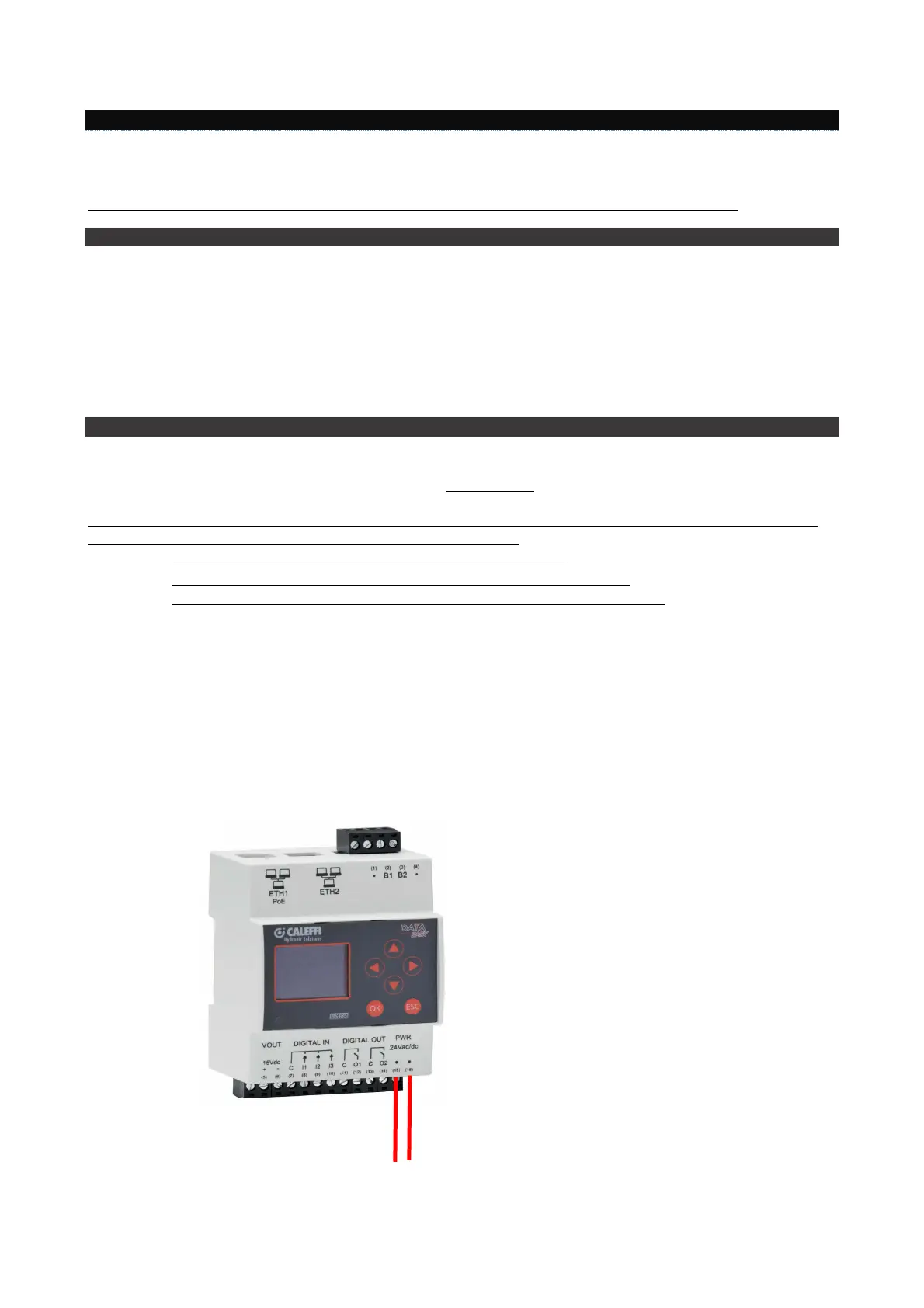
Electrical!installation!
Read!carefully!
To!avoid!high!levels!of!mechanical!stress!on!the!terminals!that!may!damage!the!device,!make!all!the!necessary!wiring!
with!the!terminals!disconnected!from!the!device.!Proceed!as!follows:!
• Extract!the!terminals!from!the!device!by!pulling!them!outwards
• Clamp!the!wires!to!the!extracted!terminals,!observing!the!correct!polarity
• Refit!the!terminal!with!the!wires,!observing!the!correct!position!of!the!terminal
Before!commissioning!the!device!check!the!following!points:!
• Make!sure!the!electrical!cabinet!in!which!the!device!is!installed!is!d e-energized
• Check!for!the!presence! of!the!general!protection!devices! for!the!electric!supplies!(fuses,!circuit! breakers,
RCDs)
• Make!sure!the!electric!supply!voltage! is!in!compliance!with!the!device!operating!limits! and!that! the!power
supply!unit!power!rating!is!sufficient!to!assure!operation!of!all!the!devices!connected!to!it,!checking!the
maximum!power!consumption!of!each!device!(24Vdc!+/-!10%,!24Vac!(min!20Vac,!max!40Vac)
• If!usin g!a!PoE!supply!(Pow e r!Over !Ethern e t)!mak e !sure!the!netwo rk !cable!is!connected!to!ETH1!and!that
the!PoE!switch!is!co m p atible!w ith!th e!de vice


 To Next Page