S320 OCS Hardware User Guide
Page 41 of 46
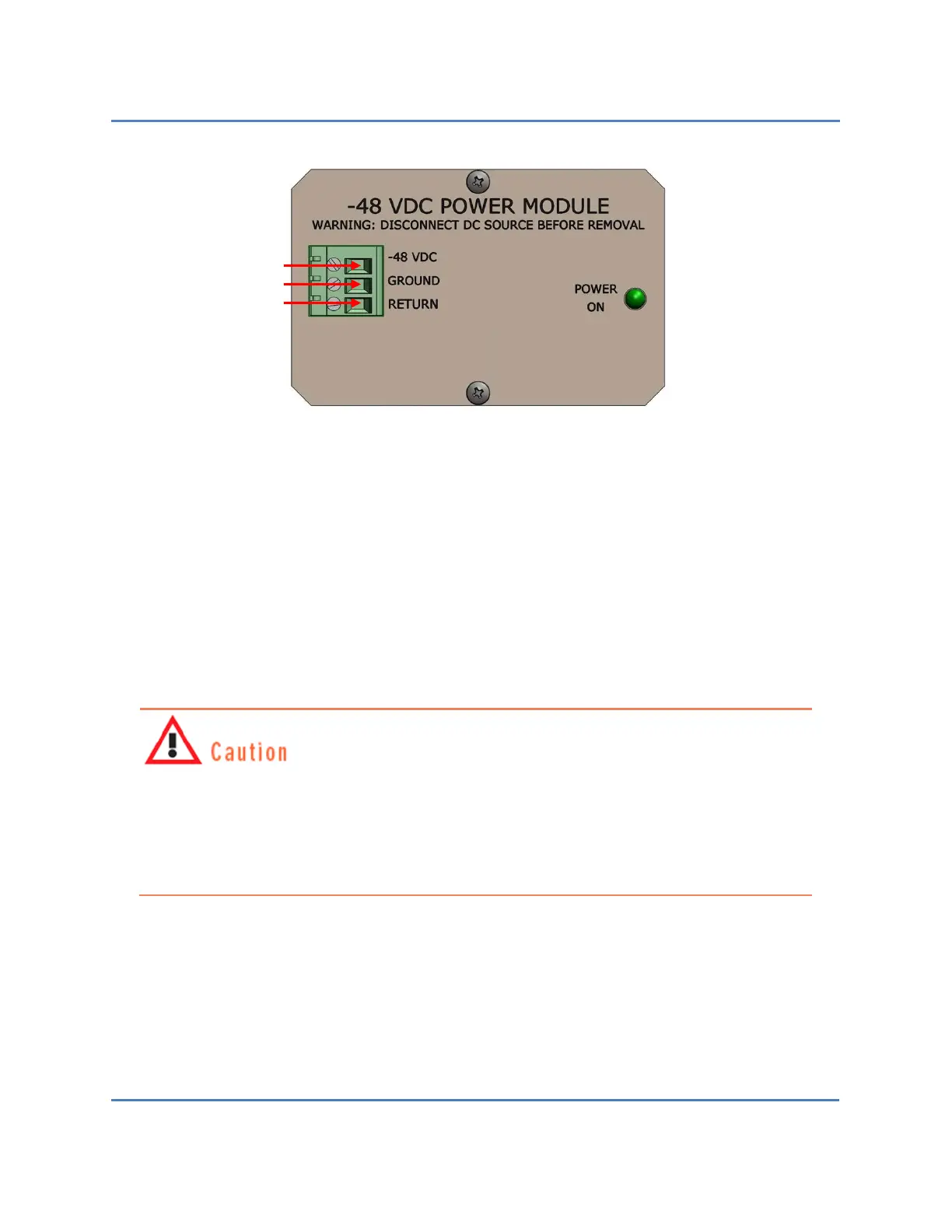
Figure 16 – S320 OCS Power Supply Connector
3. Secure each wire by tightening the screw beside each receptacle with a screwdriver.
Give each wire a light tug after securing it to ensure that it is firmly attached to the
terminal connector.
4. Attach the remaining exposed end of each cabling wire to the appropriate terminal on
the power supply.
5. Activate both power sources—A (primary) and B (backup)—to deliver electrical power
to the S320 OCS.
To avoid possible injury to personnel and/or damage to the switch, make sure the
S320 OCS is properly grounded before powering up the system. CALIENT recommends
doing this by stripping one end of insulated copper wire and attaching it to one of the
two grounding screws located on the lower-right rear of the chassis (Figure 15), then
attaching the other end of the wire to a grounded circuit.
Black wire
Green-yellow wire
Red wire



 To Next Page
 Loading...


