2017 Portable Spa
LTR20171001, Rev. C
Operating Your Spa
www.calspas.com
17
Operating Your Spa
TEMP JETS AUX
SET
RANGE
SET
SET
RANGE
READY
RANGE
FLTR1
SET
1
READY
SET
2
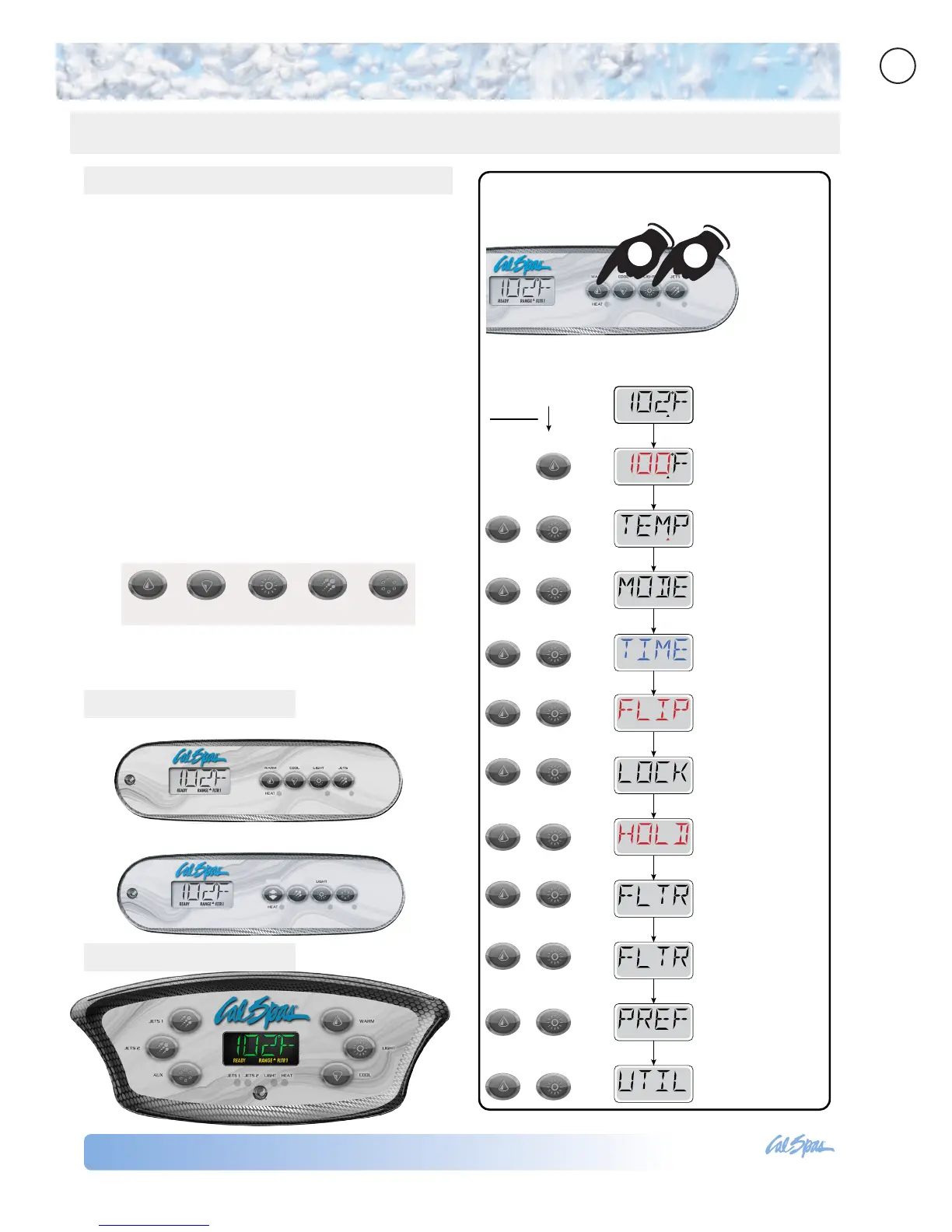
Adjust the set
temperature
Set temperature
ranges
Select heat mode
Set time of day
Flip (invert display)
Lock the display
(restrict operation)
Hold mode (standby)
Adjust ltration cycle 1
Adjust ltration cycle 2
Set personal
preferences
System utilities
(for diagnostics only)
Main screen
Press
2X
3X
4X
5X
6X
7X
8X
9X
10X
1X
1X
To go through all menus:
(1) Press the
Temperature button
1
2
(2) Then press the
Light button.
Each time you
press the Light
button, it will
take you to the
next menu item.
TP400 Control Panels
For one pump systems
For two pump systems
TP600 Control Panel
TP400 and TP600 Control Panel Operation
Warm Cool Light Jets Aux
Primary Navigation and Functions
Navigating and programming the entire menu
structure is done with 2 or 3 buttons on the control
panel.
During normal operation, the control panel will show
the actual temperature of the water, as the control
panels above show.
There are eleven settings, or menu items, you can
access in the control panel. To access them in order,
start by pressing the Warm or Cool button once.
The Set Temperature will start to ash.
While the set temperature is still ashing, press the
Light button. This will take you to the next menu
item. Each time you press the Light button, it will
take you to the next screen.
The gures below show the order the menu items
appear. Tap each menu item to go to the section that
explains its function.



 To Next Page