
 Need help?
Do you have a question about the CAMAG TLC Visualizer 2 and is the answer not in the manual?
Safety warnings and precautions for instrument installation and operation.
Lists basic components and accessories for the CAMAG TLC Visualizer 2.
Instructions for carefully unpacking the instrument and verifying completeness.
Requirements for the installation location, including bench space, climate, and power.
Details on connecting the instrument to the mains outlet and PC.
Steps to install the opaque glass and adjust the L-shaped plate positioner.
Details on the pre-mounted digital camera and necessary driver installation.
Setting the reference point for plate identification in visionCATS.
Configuring the correct focal length for the instrument's lens in visionCATS.
Performing electronic calibration for accurate image recording in visionCATS.
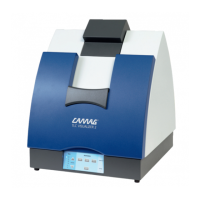
Overview of the CAMAG TLC Visualizer 2, including its front view components.
Explanation of the instrument's control panel layout, including timer and lamp keys.
Description of the available illumination sources for the TLC Visualizer 2.
Step-by-step guide for operating the TLC Visualizer 2, including light selection and timing.
Information about the viewing flap and its protective filter.
Routine cleaning and plate removal procedures for user maintenance.
Details on maintenance intervals, IQ/OQ, and consumable parts replacement cycles.
Procedures for replacing fluorescent tubes and fuses in the instrument.
Instructions for removing the top cover to access the camera.
Explanation of error codes displayed by the instrument and their meanings.
Spectral intensities of 254nm and 365/366nm lamps shown in a graph.
 General
| Brand | CAMAG |
|---|---|
| Model | TLC Visualizer 2 |
| Category | All in One Printer |
| Language | English |

 To Next Page