Getting started
Instruction Manual, Oct-16 9
As colours are always seen subjectively, slight differences in perception of the plate
seen through the viewing flap, the recorded image on screen and the printed
image are possible.
3 Getting started
3.1 The Instrument
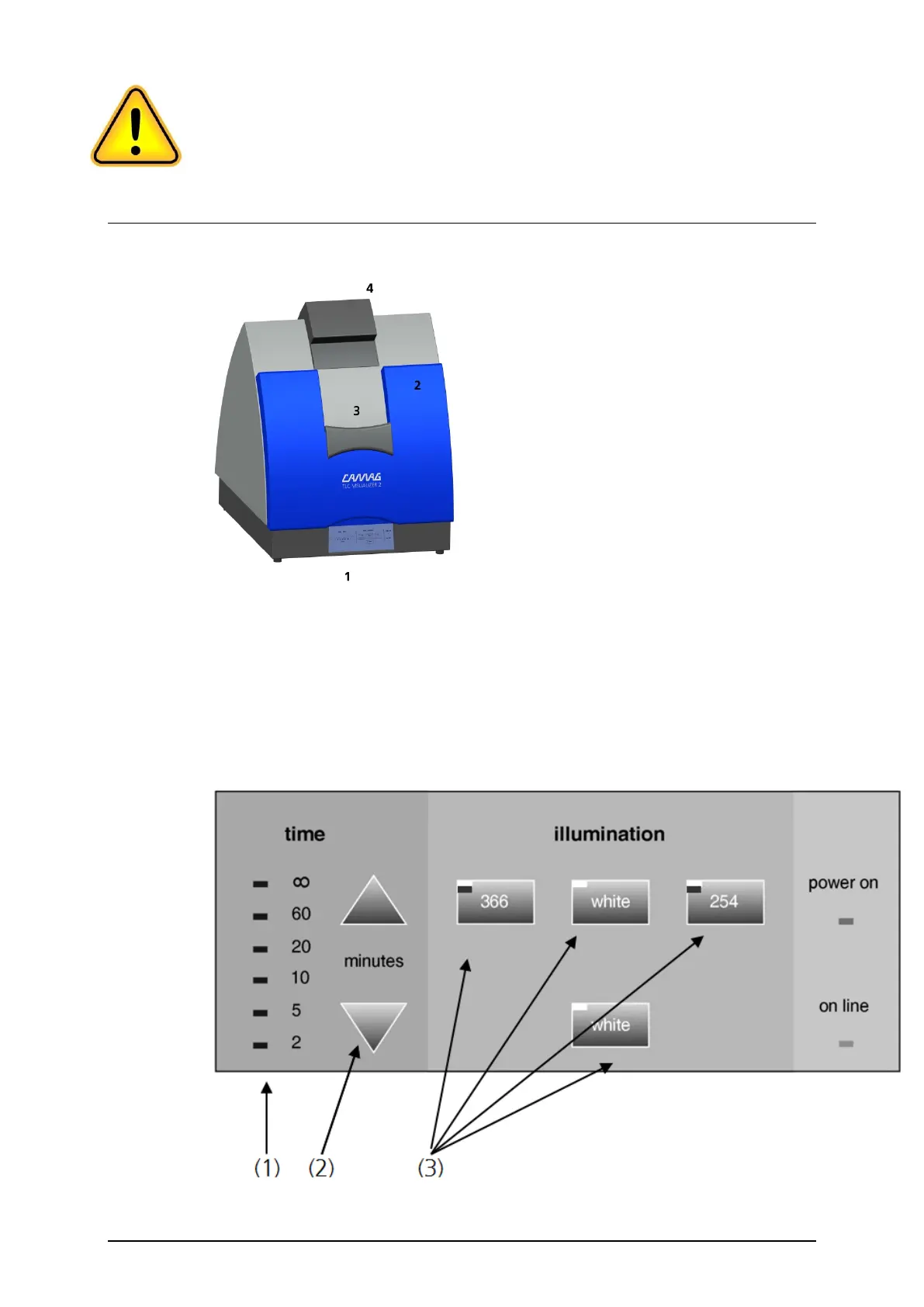
Fig. 2: Front view 1: Control panel; 2: Sliding door; 3: Viewing flap; 4: Camera cover
A sensor system controls and monitors the proper handling and ensures a stable
illumination process. In case of failure a signal will sound and an error message will
be displayed. For error messages see the chapter “Error messages”.
3.2 Control panel
Fig.3: Layout control panel: 1: Timer LED; 2: Timer arrow key 3: Lamp keys with
lamp control LEDs


 To Next Page