Unpacking/Installation
Instruction Manual, Oct-16 7
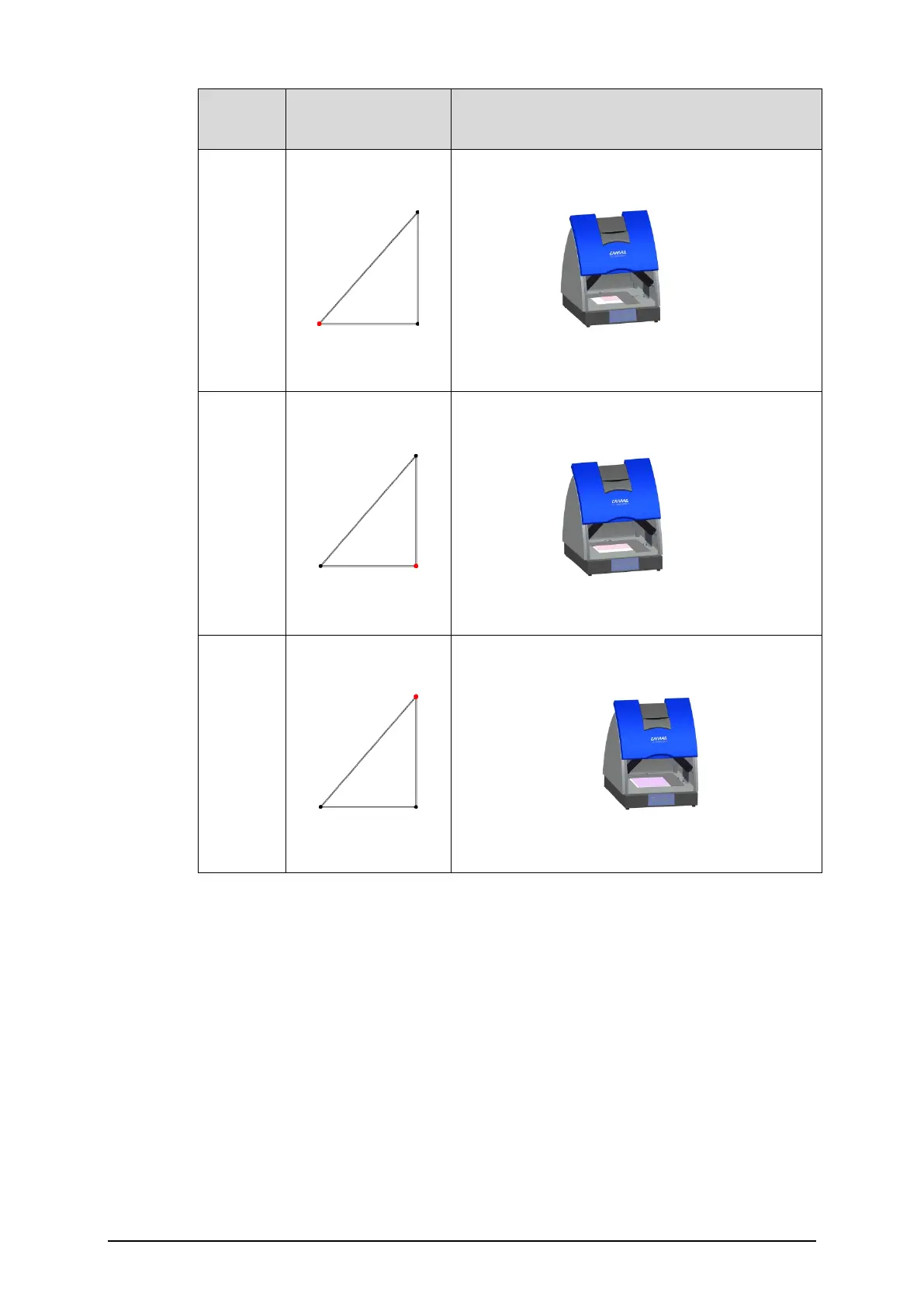
Plate
size
Position of plate
positioner
Instrument
10x10
20x10
20x20
2.5 Digital camera
When the CAMAG TLC Visualizer 2 is shipped the camera is already mounted in
an adjusted position, therefore no mechanical adjustment is necessary.
• In order to work with the USB Camera, visionCATS requires the installation
of appropriate camera driver on the PC. The related driver files can be
found on the visionCATS installation media in the drivers directory
• In the Baumer Camera Directory choose the sub directory appropriate to
the instrument and current operation system. Double click the
“bdriver_usbxx.msi” file and follow the instructions on screen
• Remove the black cover on the camera lens


 To Next Page