5.2.Insideviews
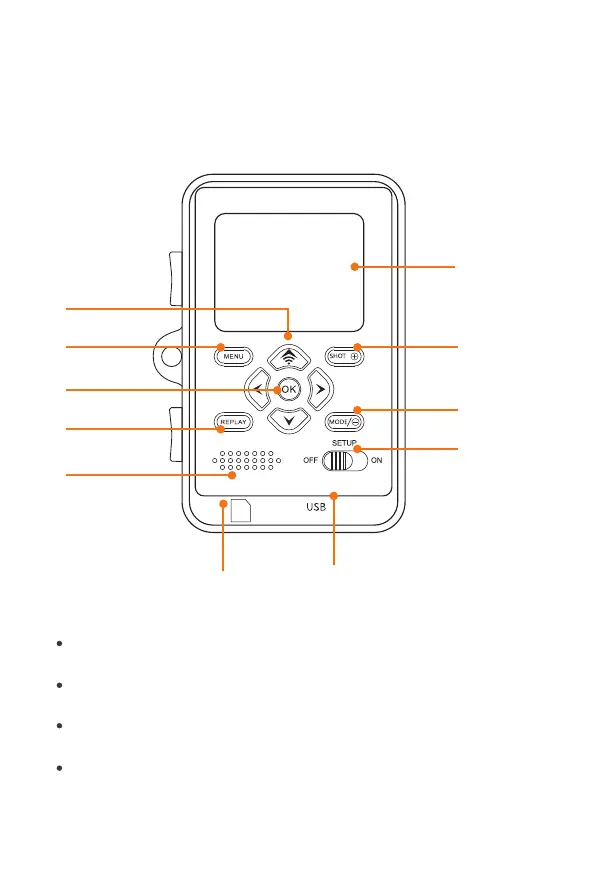
ThemonitorisonlyswitchedonintheSETUPmodeforchangingmenu
settingsorviewingexistingphotos.
AnSDorSDHCmemorycardmusthavebeeninsertedintothememorycard
slotinordertosavephotos.
UsingtheminiUSBconnection(USB2.0),thecameracanbeconnectedto
acomputer.
UsingthemodeswitchthethreeoperatingmodesOFF,SETUPandONcan
beselected.
Screen
Shot/zoominbutton
Video/zoomoutbutton
Modeswitch
(OFF/SETUP/ON)
WIFI/UP
Menubutton
OKbutton
Replaybutton
Speaker
Memorycardslot
MiniUSBconnection
7


 To Next Page