8.CONNECTINGTOCOMPUTER
TheWildlifeCameracanbeconnectedtoacomputerusingthesuppliedUSB
cablestoviewexistingphotos/videos.
Systemrequirements
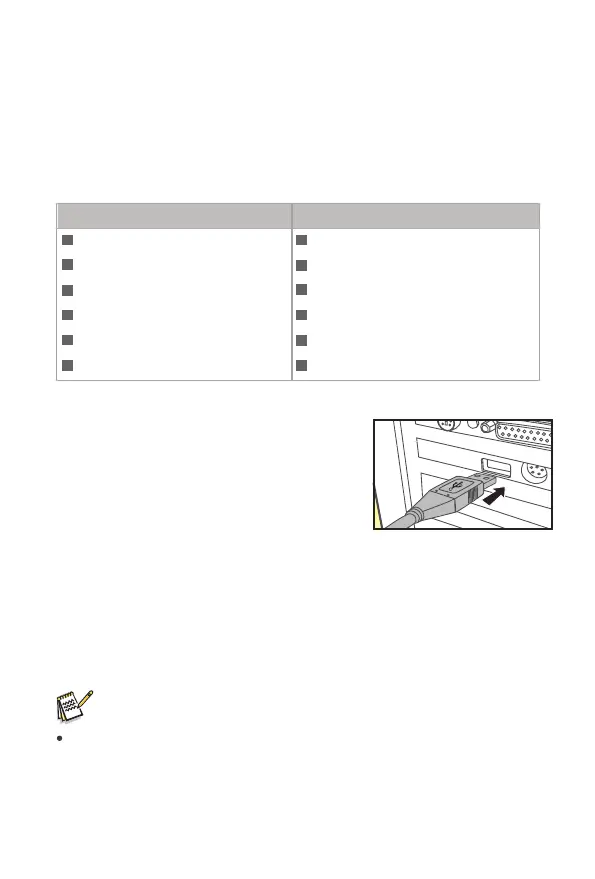
1.Connectthecameratoyourcomputerusing
theUSBcable.
2.Thecameraswitchesonautomaticallyinthe
USBmode,irrespectiveoftheselectionon
themodeswitch.
3.Thecamerainstallsitselfonthecomputeras
anadditionaldriveunderthename"Removablestoragedevice".
4.Doubleclickonthedevicetodetectthefolder"DCIM".
5.Thephotosandvideosarelocatedinthesubfoldersofthe"DCIM"folder.
6.Youcancopyormovephotoandvideofilesonthecomputer.Alternatively
youcaninsertthememorycardinacardreaderonthecomputer.
Note:
Maccomputersshowan"Unknown"driveonthedesktop.Whenclicking
onthisdrive,theprogram"iPhoto"isautomaticallystarted.
27
Windows Macintosh
Pentium?IIIorhigher
Windows?XP/Vista/7/8
512MBRAM
1GBavailableharddiskspace
Screenresolution1.024x768orhigher
AvailableUSBconnection
PowerPCG3/G4/G5
OS10.3.9ornewersystem
512MBRAM
1GBavailableharddiskspace
Screenresolution1.024x768orhigher
AvailableUSBconnection


 To Next Page