6.2.Insertingthebatteries
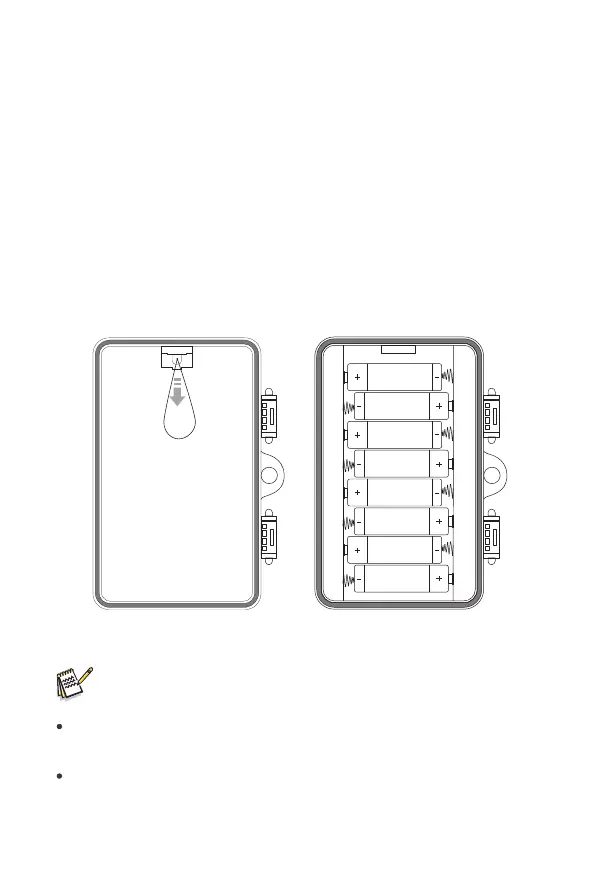
Openthecameraasdescribedinsection6.1toinsertthebatteries.Thebattery
compartmentishousedintheright,rearpartofthecamera.Nowopenthe
protectivecoverofthebatterycompartmentbypullingtheclampingclosureat
thetopslightlyinwardsbeforeliftingoffthecover.
Firstremoveanyexistingbatteriesfromthebatterycompartment.Insert8
fullychargebatteriesasshowninthebelowfigure.Wheninsertigbatteries
ensurecorrectpositionasmarkedforeachbatteryinthebatterycompartment.
Note:
Werecommendusing8xalkalineAAbatteriestoensurethecamera's
normalfunction.
Analarmissoundedifbatterychargeistoolow.
9


 To Next Page