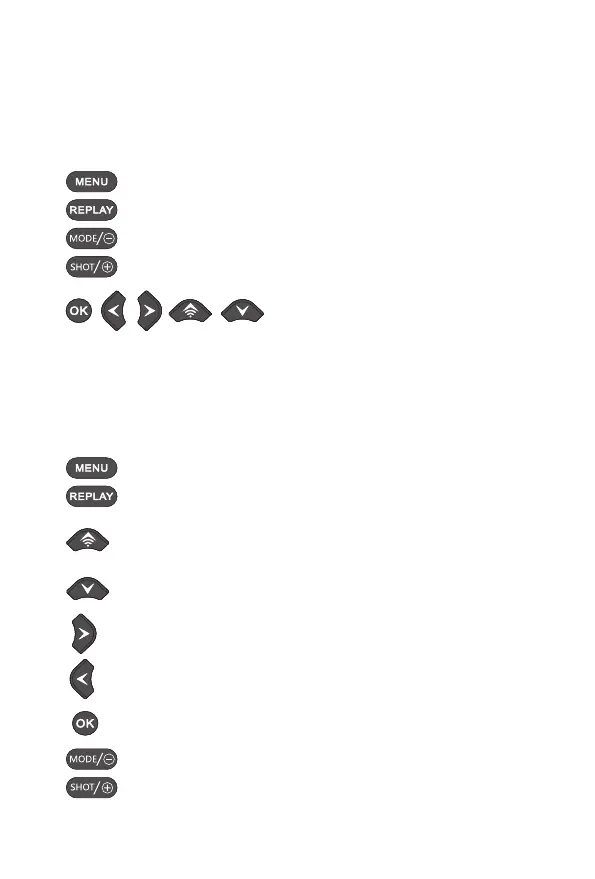
FUNCTIONSOFOPERATINGBUTTONSINRECORDINGMODE
Below,theoperatingbuttonsaredescribedintherecordingmodewithnon
activatedmenu.
FUNCTIONSOFOPERATINGBUTTONSINREPLAYMODE
Below,theoperatingbuttonsaredescribedinthereplaymodewithnon
activatedmenu.
OpentheSettingsmenuusingtheMENUbutton.
Pressthisbuttontostartthereplaymode.
Changetothemanualrecordingmodeandrecordavideo.
Changetothemanualrecordingmodeandtakeaphoto.
Nofunction(inrecordingmode).
SelecttheReplaymenuusingtheMENUbutton.
Pressthebuttontoreturntorecordingmode.
Viewexistingpicturesbackwardsanddragupwardstoviewphotoand
increasethevideoplayvolume.
Viewexistingpicturesforwardsanddragdownwardstoviewphotoand
decreasethevideoplayvolume.
Dragrighttoviewandskipaheadthevideo.
Draglefttoviewandskipbackthevideo.
Startandendreplayofvideos/imagecutsaveafterzoom.
Zoomoutthephotosanddecreasethevideoplayvolume.
Zoominthephotosandincreasethevideoplayvolume.
13


 To Next Page