Between home and apps: Tap an icon
to open an app from the Albert home
screen. To leave the app, tap Home in
the Merchant Context Menu.
Within apps: All apps have their own
navigation buttons. To find out how to
navigate within a CBA app, see the
relevant user guide.
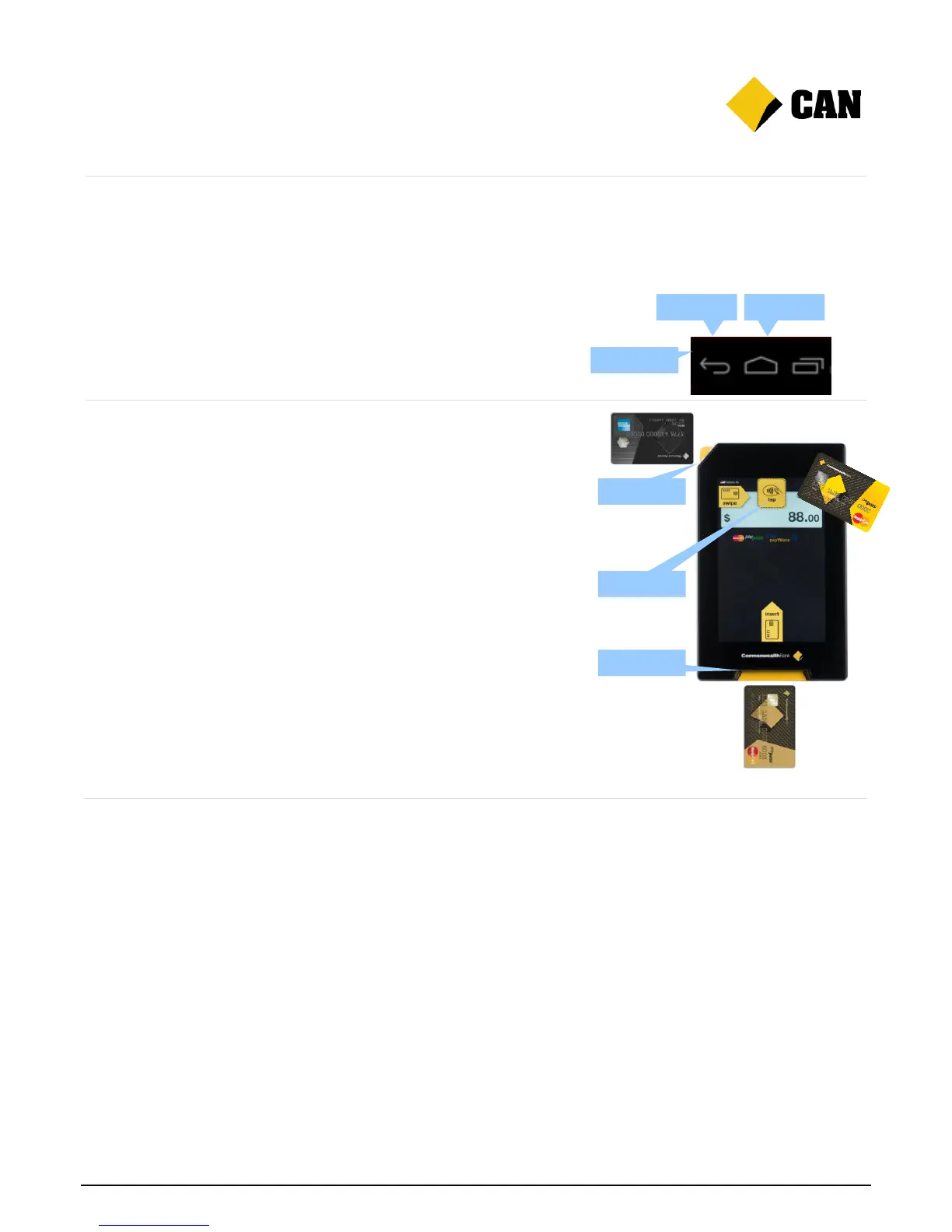
Navigation buttons: On pages where
the Navigation Bar appears, tap the
Back or Home buttons to move around.
Albert comes with three card readers for
different customer payment options. Follow
the prompts when using the Payment app.
For swipe: Use the magnetic strip card
reader at the top of the device.
For tap: Use the contactless NFC card
reader at the top of the screen.
For insert: Use the chip card reader at
the bottom of the device.


 To Next Page