EasyManua.ls Logo

CAN Albert - Working with Your Albert Device; Powering and Waking Albert; Charging the Albert Device

CAN Albert
19 pages
Print Icon
To Next Page IconTo Next Page
To Previous Page IconTo Previous Page
Loading...
Albert User Guide
12
2. Working with Albert
In this section:
Powering Albert
Charging Albert
Changing the receipt roll
Recognising Albert's alerts
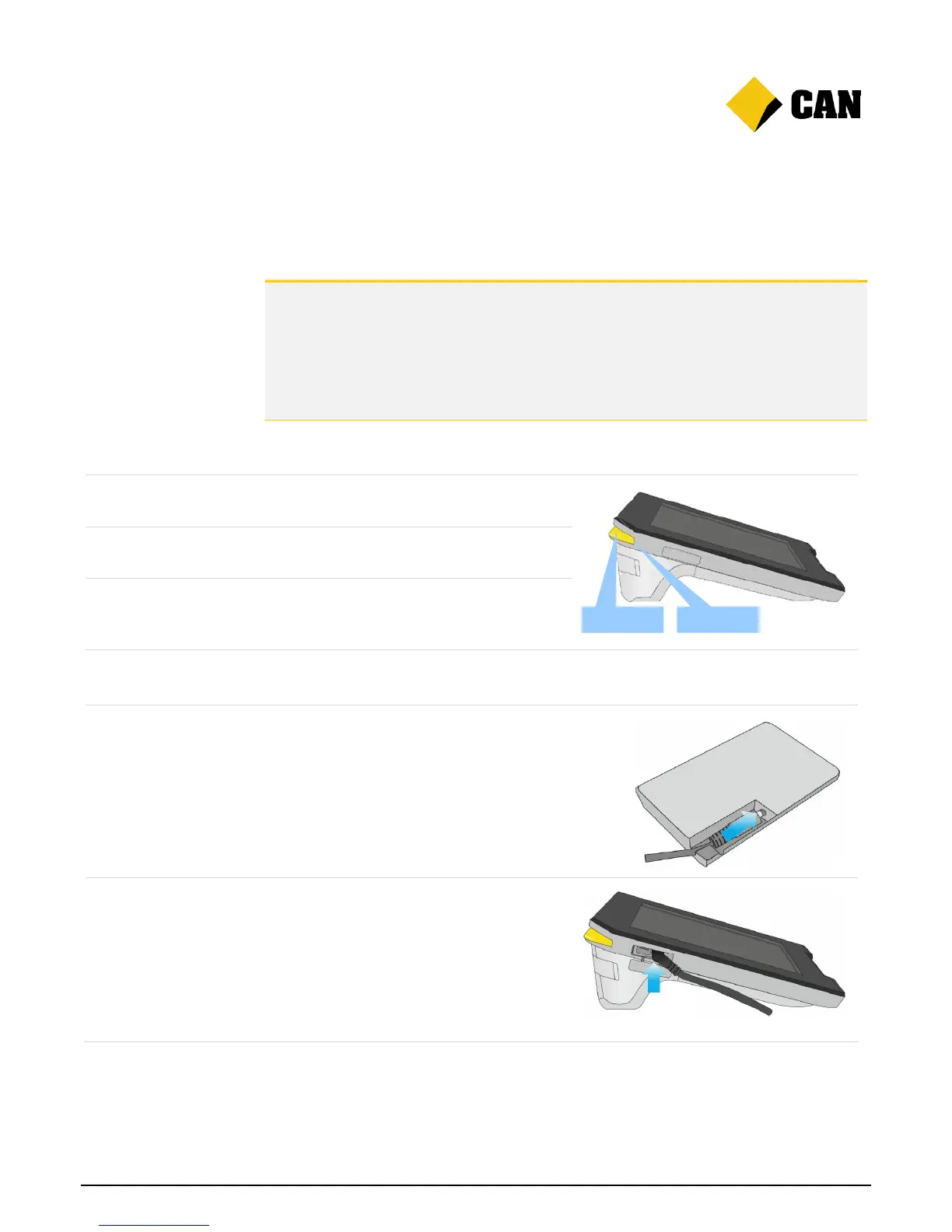
Powering Albert
Switch on
Press and hold the Power button to switch on
Albert.
Wake up
If Albert is switched on but the screen is
blank, press the Power button once.
Switch off
Press and hold the Power button until the
prompt appears.
Charging Albert
Charge Albert with a
dock
1. Connect the charging cable to the dock.
2. Place Albert on the dock.
Charge Albert
without a dock
1. Remove the power outlet cover on the left
side of the device.
2. Connect the charging cable to the power
outlet.
1
.
Power light
Power button

Other manuals for CAN Albert

Related product manuals