
 Need help?
Do you have a question about the CAN Albert and is the answer not in the manual?
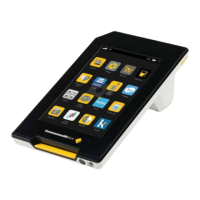
Details the physical components and layout of the Albert device.
Explains navigation methods, home screen, and information bar.
Covers basic operations like using the touch screen and context menu.
Explains how to navigate between apps and screens using buttons and gestures.
Describes the different card readers and their usage for payments.
Instructions on switching Albert on, waking it up, and switching it off.
Details on how to charge the Albert device with or without a dock.
Step-by-step guide on how to replace the receipt paper roll.
Explains the meaning of LED lights, sounds, and on-screen messages.
Guides on adjusting screen brightness and automatic lock settings.
Instructions for adjusting volume and enabling/disabling touch sounds.
Covers connecting to WiFi and how 3G service is used.
Steps to add an existing email account to the device.
Instructions for setting new passwords for Manager and Operator.
Details on checking battery usage, setting time zone, and viewing device information.
Provides guidelines on cleaning, protecting, and handling the Albert device.
Contact information for support with Albert, App bank, and CBA applications.
Instructions for finding support details for third-party applications.
 General
| Brand | CAN |
|---|---|
| Model | Albert |
| Category | Payment Terminal |
| Language | English |

 To Next Page

