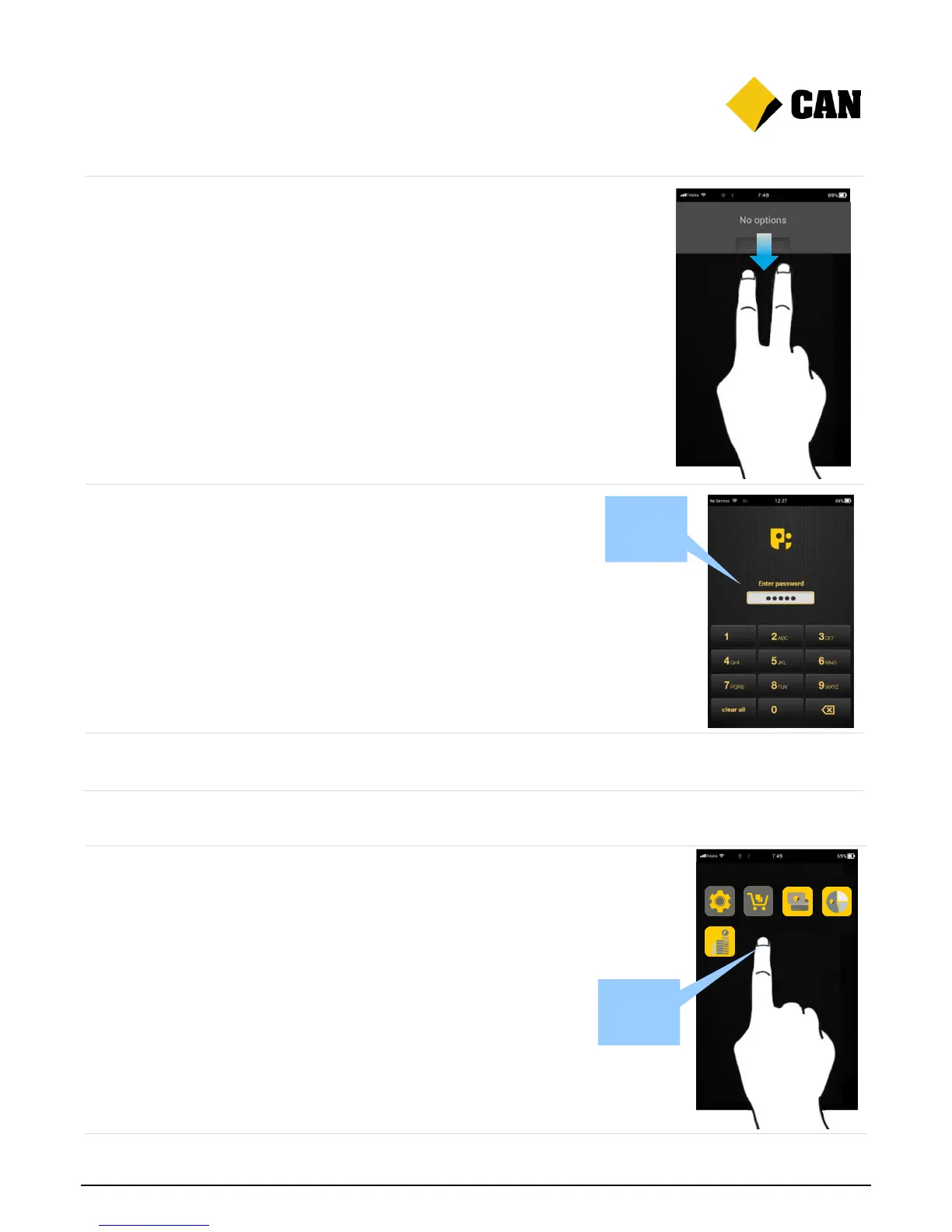
Access all the different app
functions here, or move between
apps and the home screen.
To open, press the Merchant
Context button on the back
right corner of the device, or
swipe down the screen using
two fingers.
To hide, press the Merchant
Context button or swipe up the
screen.
Control access to different apps
and functions by setting up
passwords.
Password screen: Once
you’ve set up a password for
an app, use the touch screen
keypad to enter your password
when prompted.
To find out how to change passwords, go to Section 3.
To learn more about specific Albert apps, check out the app user guides.


 To Next Page