1
Overview
4
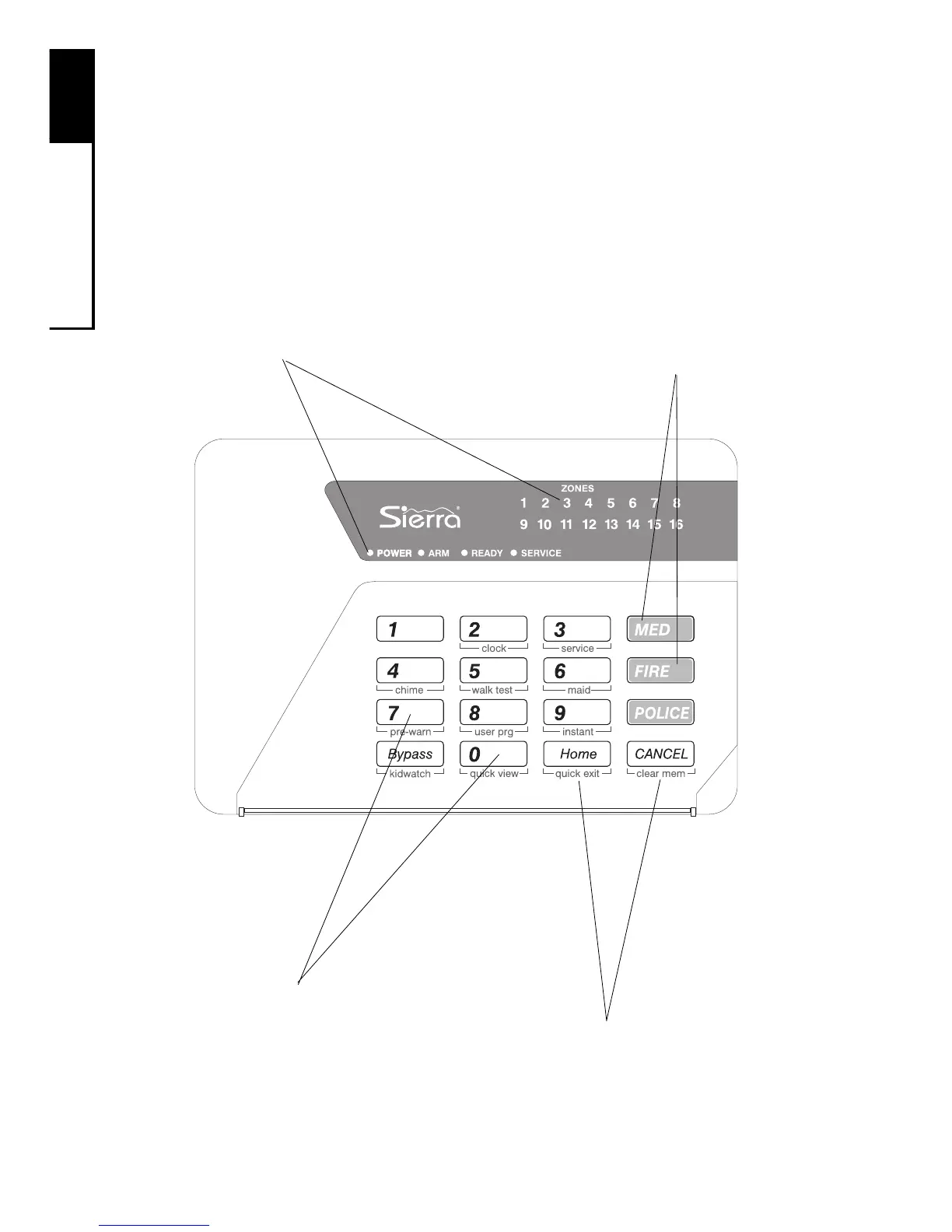
Quick Guide To Your Keypad
The drawing below identifies and explains the important features
of your LED keypad.
Numeric Keys
Used to enter codes and
perform other functions
Secondary Function "Keys"
Consists of the labels beneath the numeric
keys. These keys allow you to change
system settings. To activate, press and hold
the numeric key above the label for two
seconds until you hear two beeps.
Keypad Lights (LEDs)
Describes the system's status, such as:
—if the system is ready to arm
—if an alarm has occurred
—if a zone is faulted
—other specialized information
(See next page.)
Emergency Keys
To notify your monitoring
station of an emergency,
press and hold these keys
for two seconds until you
hear an alarm. (Keys must
be pre-programmed.)



 To Next Page